> ## Documentation Index
> Fetch the complete documentation index at: https://docs.hiddenlayer.ai/llms.txt
> Use this file to discover all available pages before exploring further.
# Detection Summary for Asset Scans
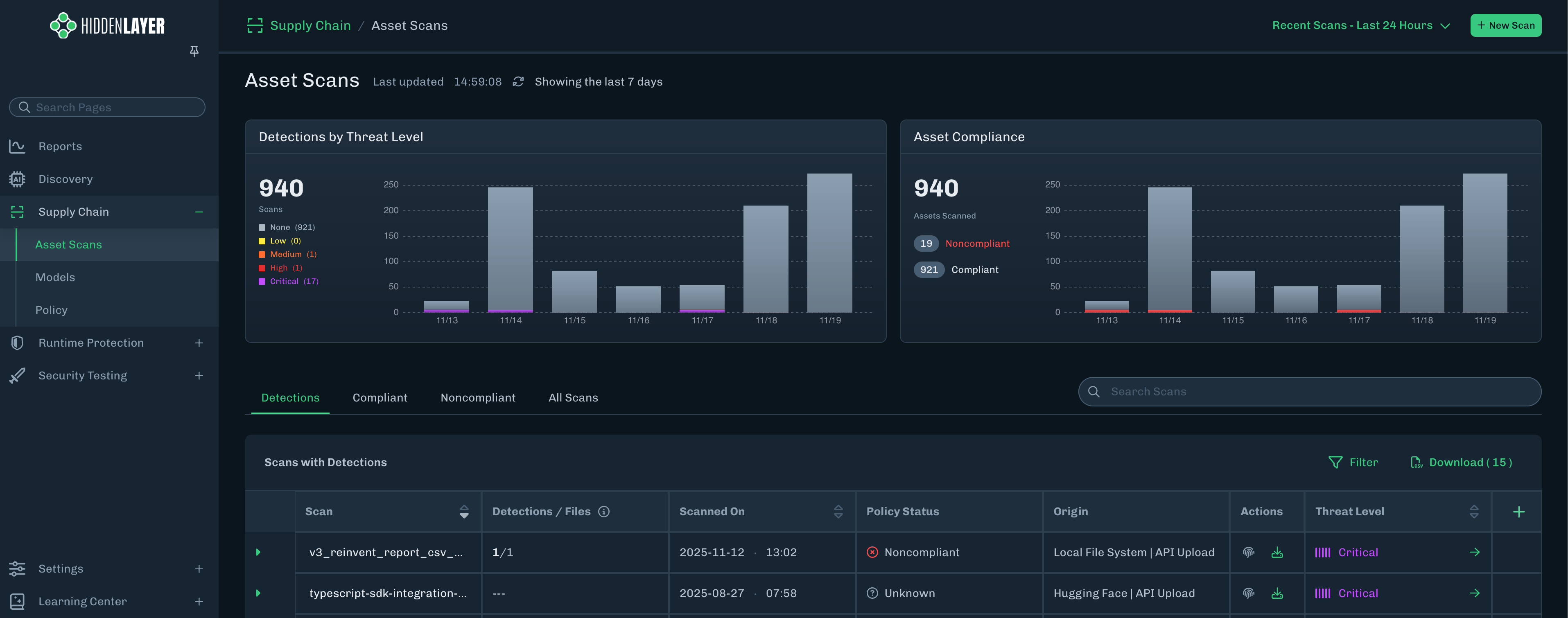
From the Asset Scans page, you can click a Model Artifact to view the Detection Summary, Attributes, and related MITRE ATLAS techniques.
* **Detections** - Known exploits exist in the model files. The detections are ranked from Critical to Low severity and can be used to define Supply Chain policy.
* **Advisories** - Known files of concern, but are not exploits in and of themselves. Advisories should be reviewed prior to model usage.
**Detection Categories**
Scan results include a **Detection Category** and **Threat Level** to provide some insight into risks related to the model file. See [Detection Categories](/docs/products/supply-chain/console/supply_chain_severity_levels) for more information.
***
1. From the Asset Scans page, click the green arrow for the model version for which you want to view more information.
 2. The Detection Summary section contains model scan information.
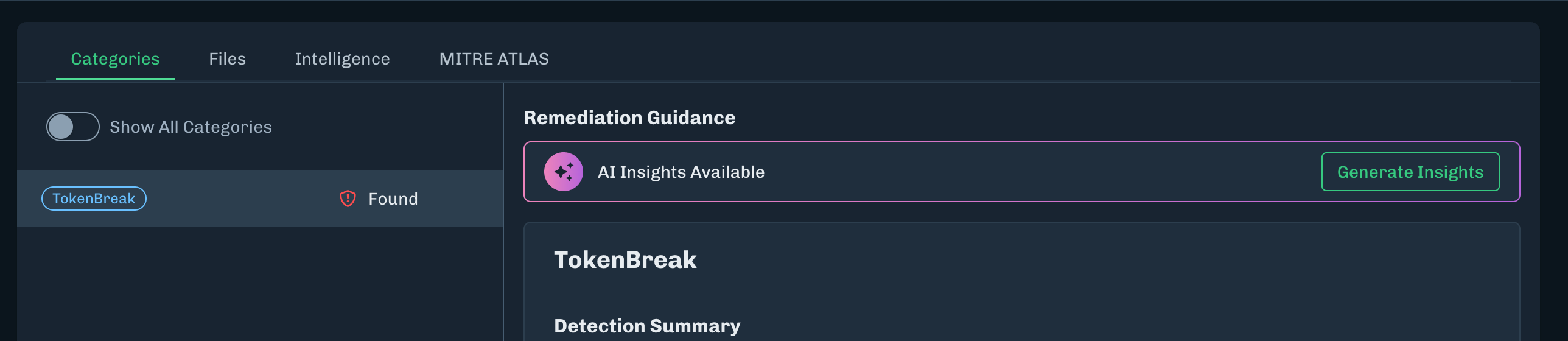
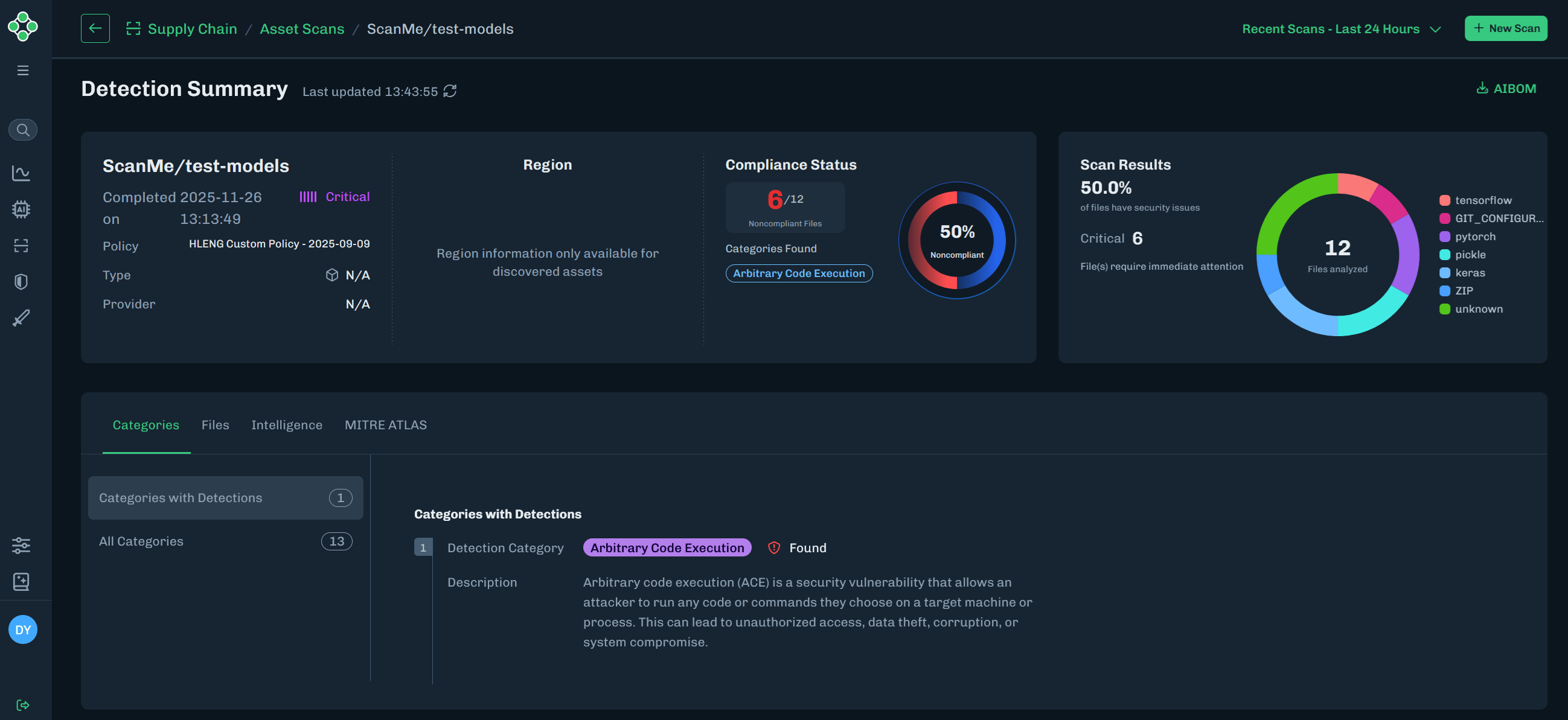 3. The Categories tab displays any Detections related to the scan results.
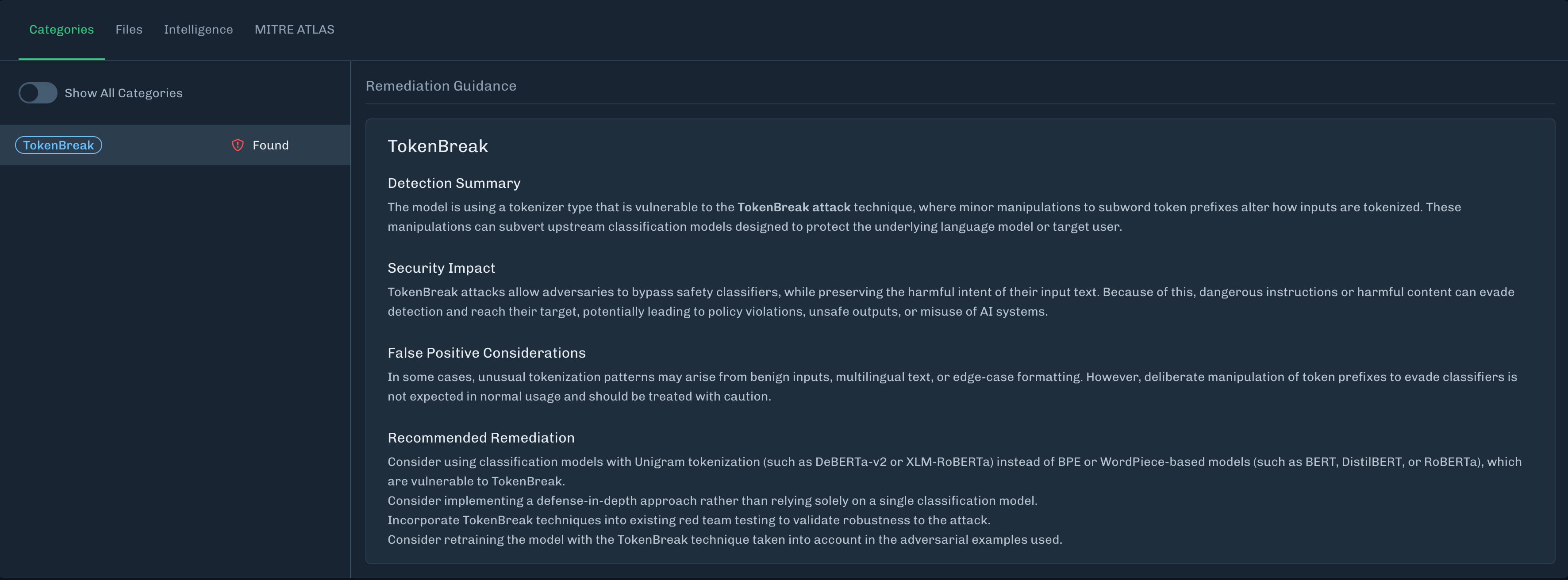
* The detection category description includes **Remediation Guidance**, which provides information on why the detection category was triggered. Which can include:
* A short summary of the file name, the repository (if available), and the verdict (including other sources, if available).
* Descriptions for what was found, how it works, what it does, and why it is dangerous; providing concise information about the detection, instead of just labeling it bad.
* Remediation guidance, including recommended actions. It is up to the organization on what to do with the file.
* If no detections are found, then no categories display.
* Click the **Show All Categories** toggle to display all detection categories.
3. The Categories tab displays any Detections related to the scan results.
* The detection category description includes **Remediation Guidance**, which provides information on why the detection category was triggered. Which can include:
* A short summary of the file name, the repository (if available), and the verdict (including other sources, if available).
* Descriptions for what was found, how it works, what it does, and why it is dangerous; providing concise information about the detection, instead of just labeling it bad.
* Remediation guidance, including recommended actions. It is up to the organization on what to do with the file.
* If no detections are found, then no categories display.
* Click the **Show All Categories** toggle to display all detection categories.
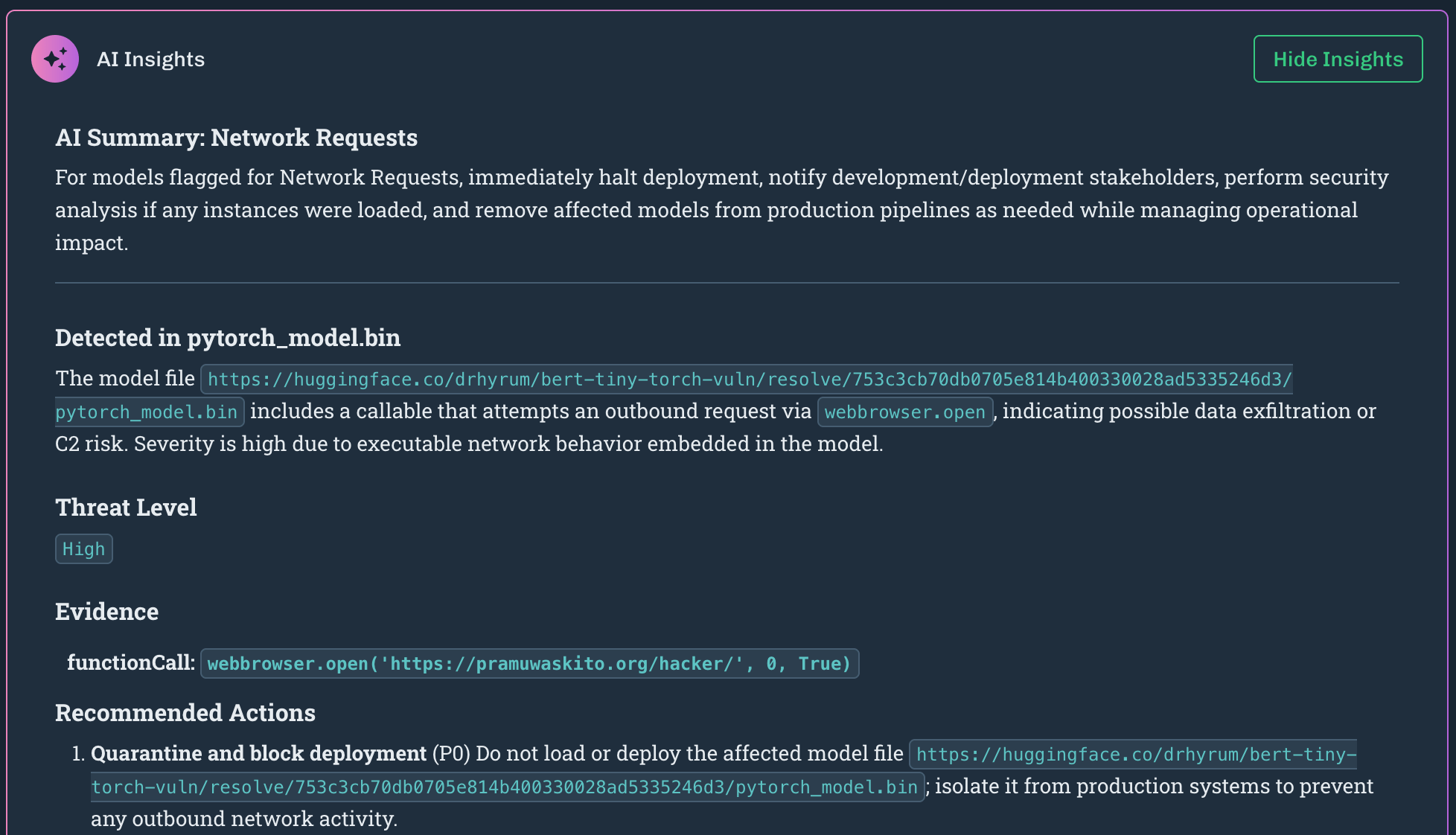
 4. Remediation Insights provides an in-product, AI-assisted remediation guidance in the Detection Summary to help customers resolve detections.
* On the Categories tab, click **Generate Insights**.
* The insights generated provides information specific to the files scanned. This can include the file name, the file path, and more details for remediation actions.
4. Remediation Insights provides an in-product, AI-assisted remediation guidance in the Detection Summary to help customers resolve detections.
* On the Categories tab, click **Generate Insights**.
* The insights generated provides information specific to the files scanned. This can include the file name, the file path, and more details for remediation actions.
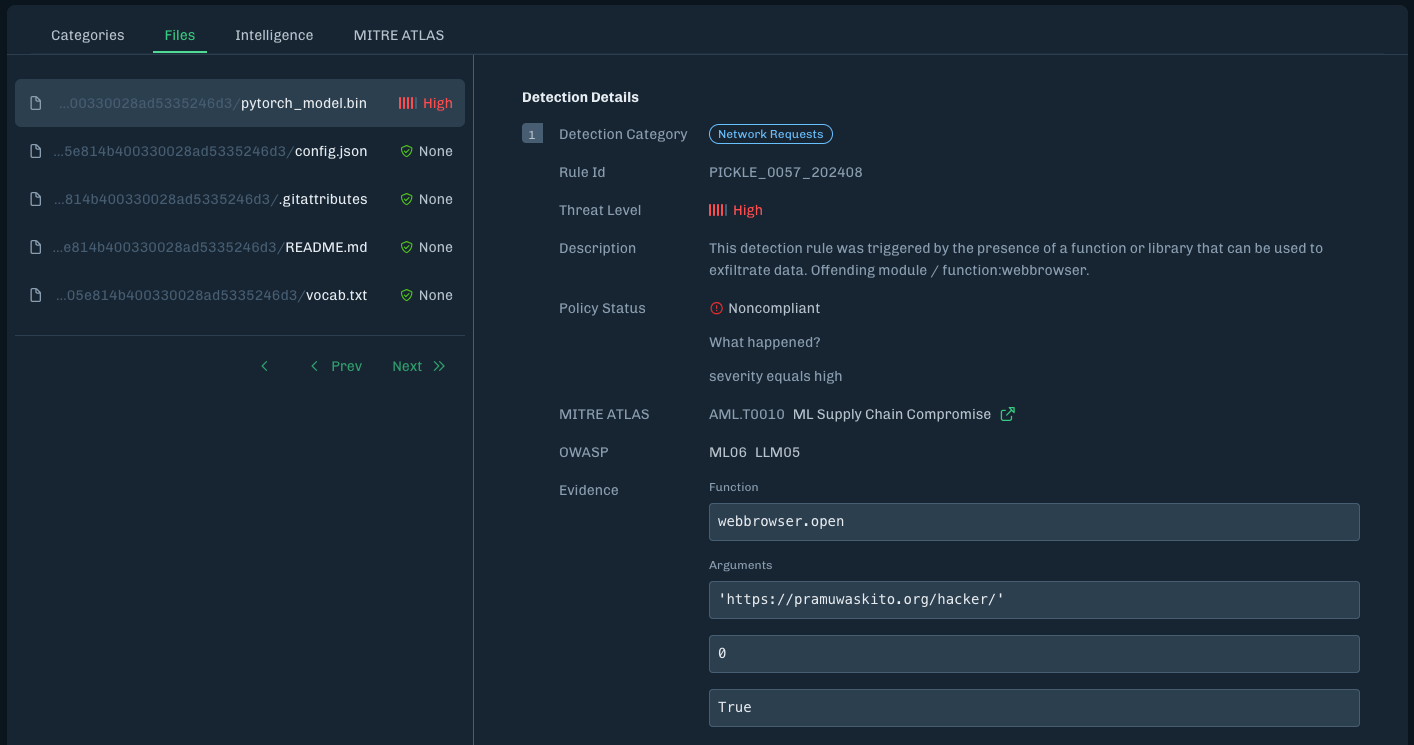
 5. The Files tab includes a list of files related to the scan and details about the selected file.
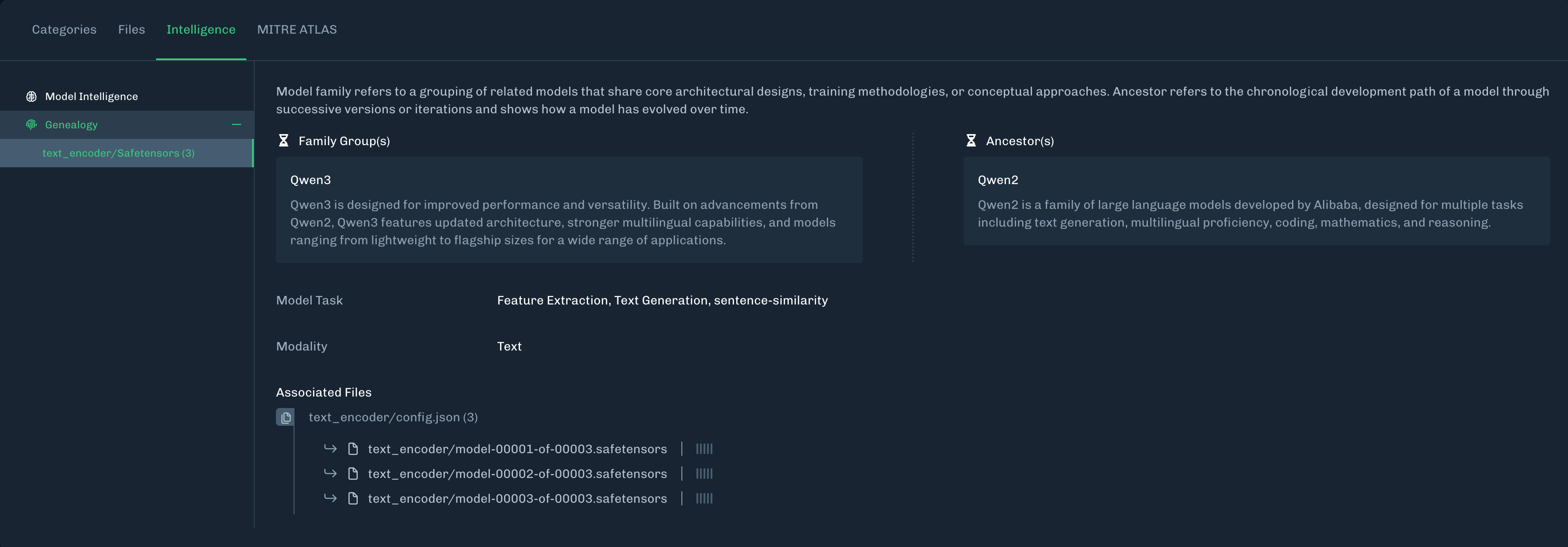
 6. The Intelligence tab displays Model Intelligence and Genealogy information gathered by the scan.
* **Model Intelligence**: Delivers critical insights into model architecture, ancestry, and task alignment to support trust, security, and compliance in AI deployment. See [Model Intelligence](./supply_chain_model_intelligence) for more information.
6. The Intelligence tab displays Model Intelligence and Genealogy information gathered by the scan.
* **Model Intelligence**: Delivers critical insights into model architecture, ancestry, and task alignment to support trust, security, and compliance in AI deployment. See [Model Intelligence](./supply_chain_model_intelligence) for more information.
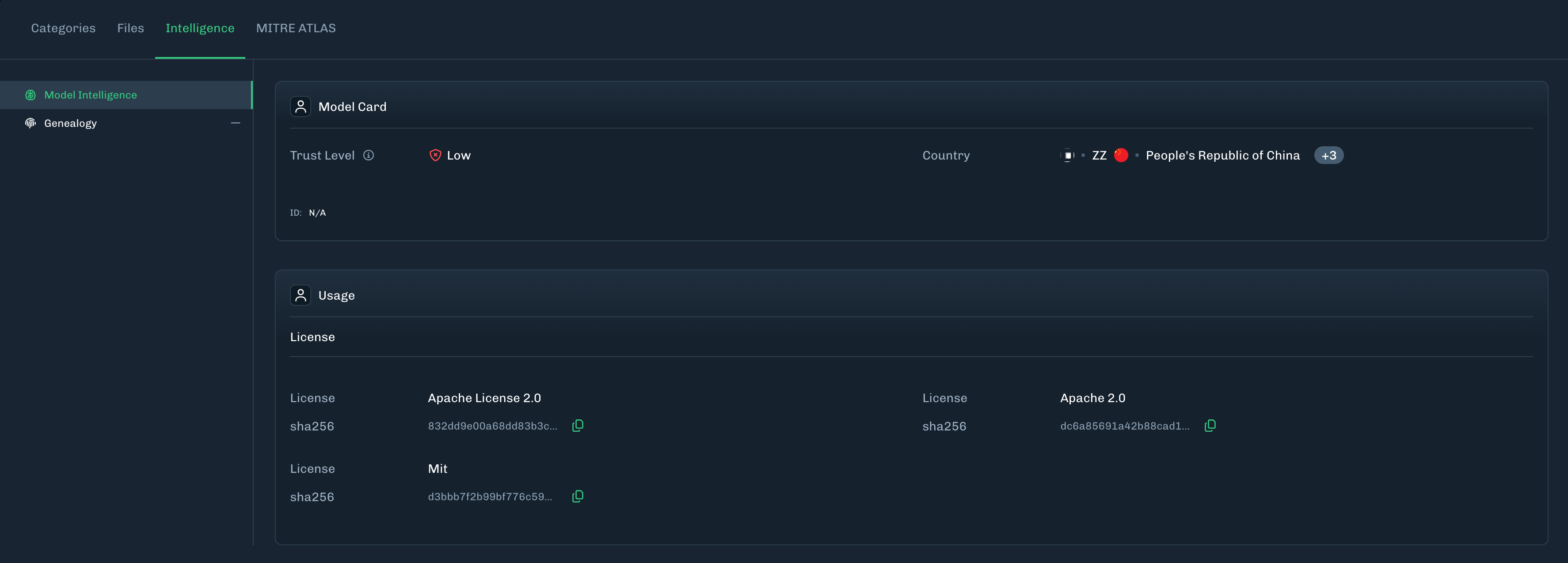 * **Genealogy**: Displays family groups (related models) and ancestors (chronological development path) to provide some historical records for the model files scanned.
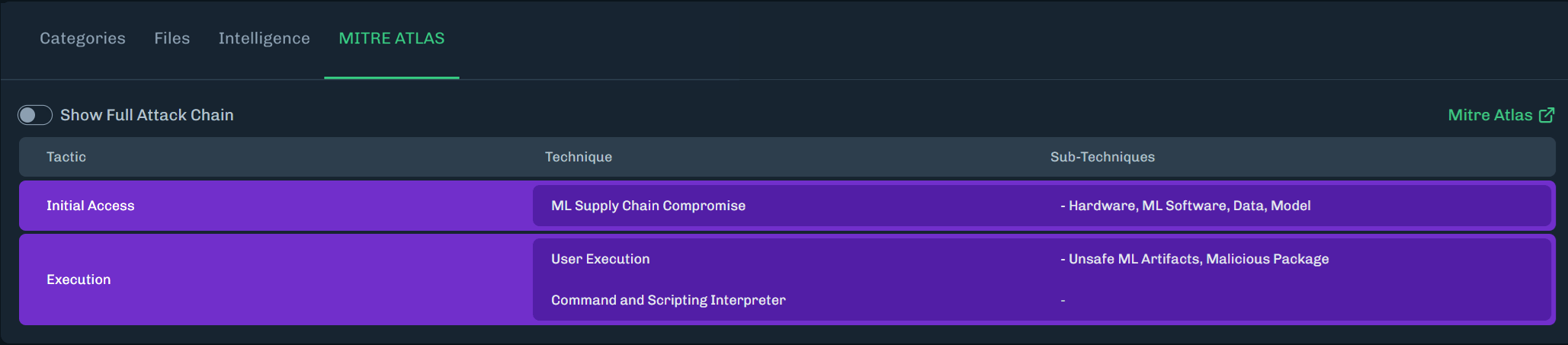
 7. The MITRE ATLAS tab highlights MITRE ATLAS techniques related to the scan.
* Click **Show Full Attack Chain** to see all MITRE ATLAS techniques.
7. The MITRE ATLAS tab highlights MITRE ATLAS techniques related to the scan.
* Click **Show Full Attack Chain** to see all MITRE ATLAS techniques.