Model Scanner supports two primary deployment modes to give you flexibility based on your network security requirements and how much data you want to share with HiddenLayer.
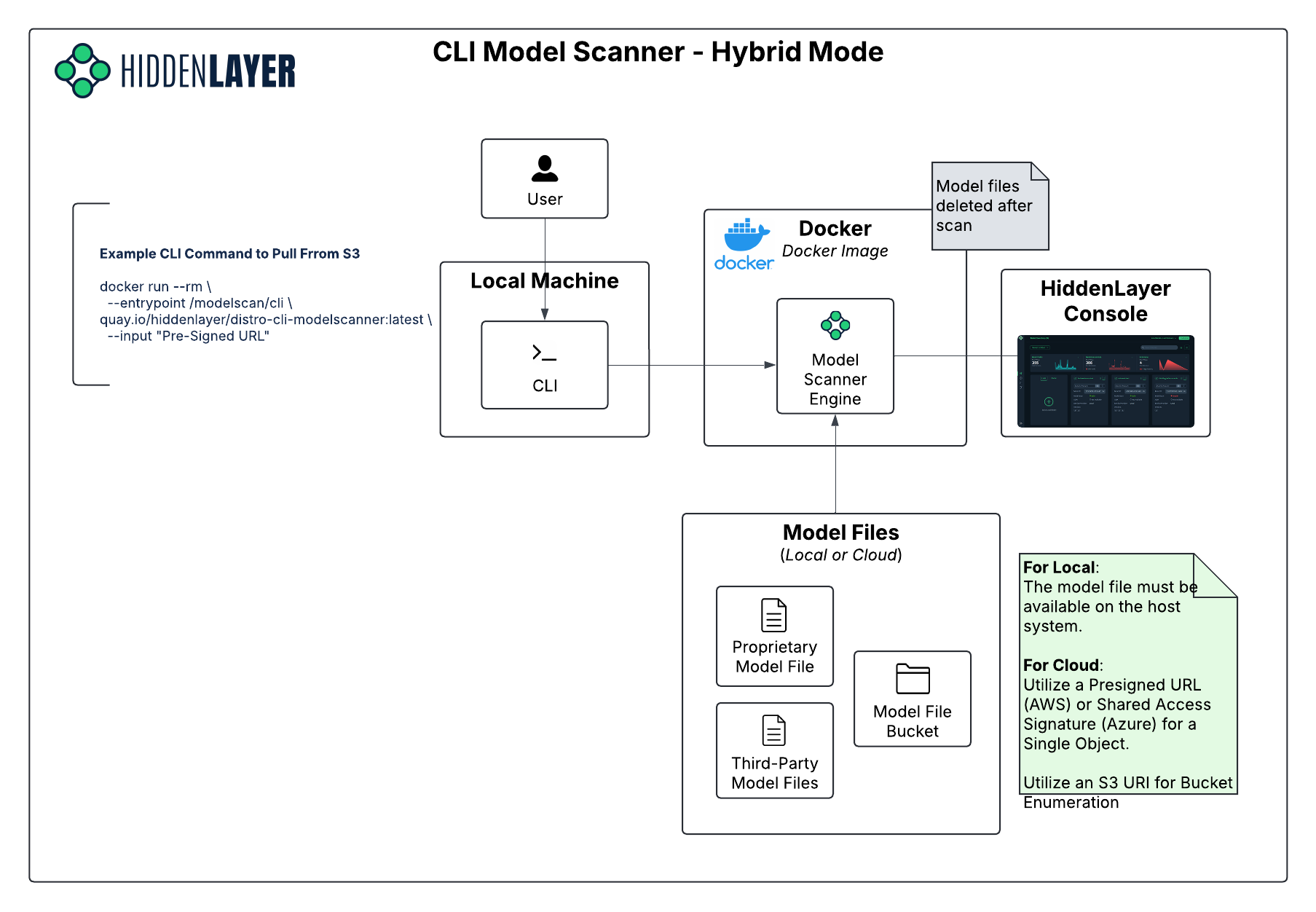
The Model Scanner CLI container can be deployed in either Hybrid Mode or Disconnected Mode. The architecture for these modes are very similar, except where the results are stored.
When Model Scanner CLI is deployed in Hybrid mode, metadata per scan will be sent back to HiddenLayer to power the UI and provide visualizations for users to review.
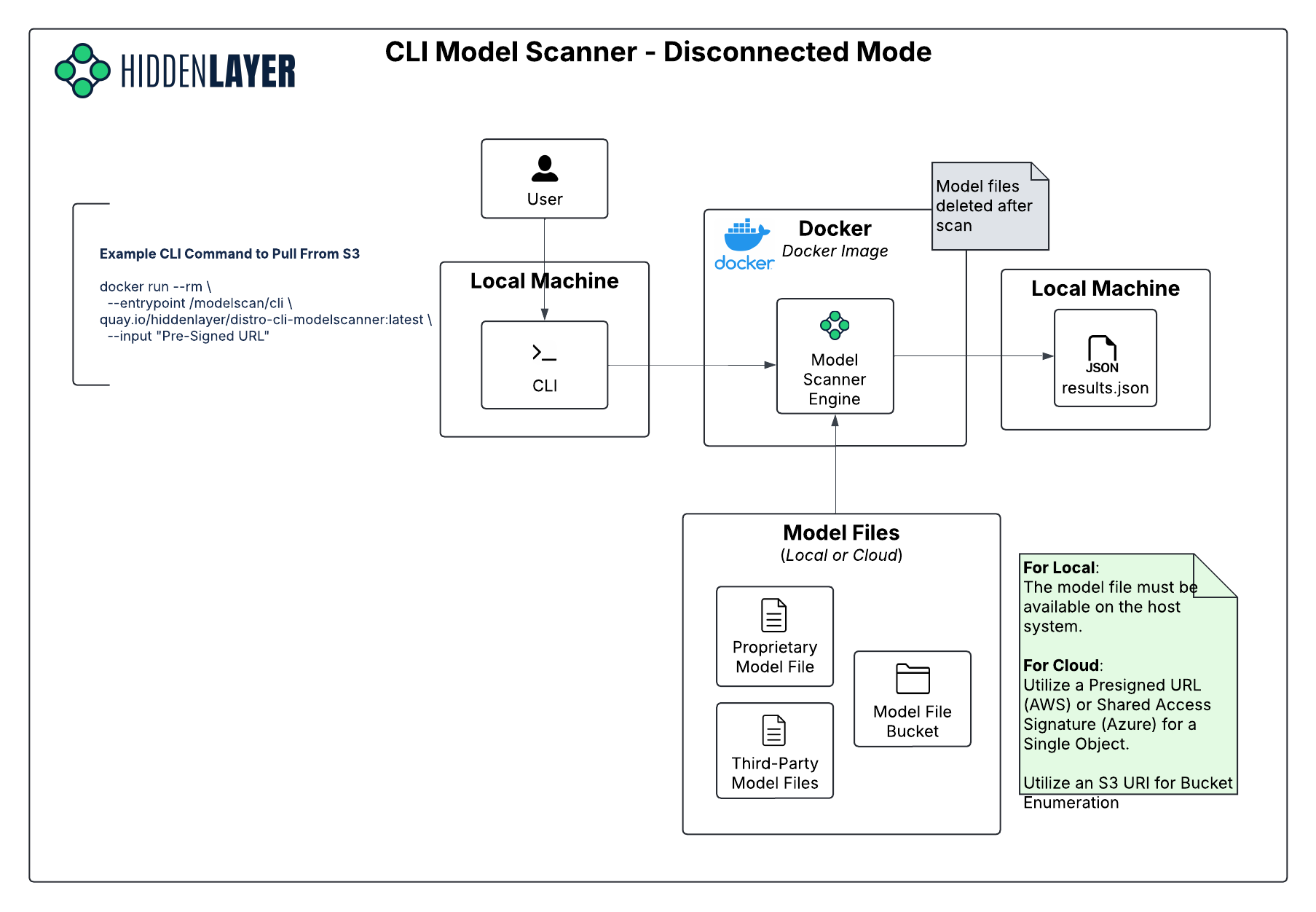
In the fully disconnected mode, all components including scanning and storage are hosted and operated entirely within your environment. There is no communication with the HiddenLayer Console or external APIs.
- Nothing leaves your environment, including scan results.
- The UI is not included in this mode; you'll interact with results directly from the terminal and logs.
- Results are stored locally.
Model Scanner CLI is a synchronous executable:
- Users invoke Model Scanner CLI by running the Docker image with command-line arguments that describe the model(s) to be scanned, and the location where scan results and scanner logs should be rendered.
- Model Scanner CLI executes the scan.
- The Docker container exits.