

handler function. This function controls how the application is reached, error handling, and returning the text of the application response back to the Attack Simulation tool.
SDK & PythonThis content demonstrates using the HiddenLayer SDK and Python. There are other options if this does not reflect your internal tech stack.
Prerequisites
Before getting started with the following example, you will need:- The HiddenLayer Python SDK (either from PyPi or from our Github repo)
- A set of HiddenLayer API Credentials (Client Id and Client Secret) to authenticate against our SaaS (How to Generate API Credentials in the Console)
static_prompt_set and to test with a very small set of prompts (5 or fewer) to ensure that the application is responding and that everything is configured correctly. Thus, it is optional, but highly recommended to create:
- A small static prompt set for testing. See Prompt Sets for details on how to upload a static prompt set of your choice.
.csv, and upload that CSV to the platform for testing purposes:
Expand sample list of static prompts to use for testing
Expand sample list of static prompts to use for testing
SDK Python
This section shows you step-by-step how to create a script that will:- Start an AI Attack Simulation against an application of your choice
- Configure the attack with the same variables available in the UI
- Use a static_prompt_set to run a short attack simulation against an application
-
Use the HiddenLayer SDK to create an instance of a HiddenLayer client. This can be done using the synchronous or asynchronous HiddenLayer client. For the AI Attack Simulation, which is a longer-running process, we will use
AsyncHiddenLayerto set up our script.Note:- If you create a single set of environment variables for
HIDDENLAYER_CLIENT_IDandHIDDENLAYER_CLIENT_SECRET, the SDK will look for those and will automatically pull them in; you will only need to set them explicitly as shown here if they can’t be found in the environment or if you are using different names for them (for example, to differentiate credentials with different permissions).
- If you create a single set of environment variables for
-
Once the
clientis configured, set up ahandlerfunction to access your application. Thehandlerfunction will query the application (including any data transformations), process the output including errors, and will return just the text of the application response. HiddenLayer’s AI Attack Simulation will then record the results of that attack and add them to the output report. The AI Attack Simulation template includes the following empty handler function:For this tutorial, we are using it to query an ungated, locally-running Ollama model. We are using the OpenAI Async client for this example, as that is a widespread access pattern for many applications. Note that we include one error-handling pattern for bad requests; additional error handling can be added based on the application and the desired behavior (see Error Handling below).
-
Configure the AI Attack Simulation session.
Note:
Make sure to note the returned
workflow_id, as that will be needed to retrieve results via the SDK. As mentioned above, we recommend testing your configuration with a small static prompt set to start/before kicking off a large evaluation, which is the configuration shown below. Once you have ensured that the application is responding appropriately, you can change the execution strategy (shown in the following code block). Note that certain configuration options are only relevant for specific execution strategies.
Configuring to use a static prompt set
Configuring to use HiddenLayer’s AI AttackerIn either case, the output of creating the workflow should be the workflow ID: Output
-
Start the session!
There are 2 functions to run a session:
run_with_callbackandrun_with_callback_parallel. The former will run a session with sequential action processing (run one attack after another, wait for actions to complete before continuing). The latter will process actions in parallel, rather than waiting for each individual action to complete. Unless otherwise specified, the maximum number of parallel actions will be equal to the maximum number of techniques (shown above). Increase this to speed up simulations; decrease it (or userun_with_callback) to enforce rate limiting.While the session is running, if you have access to the HiddenLayer console, you will be able to watch its progress there:
With the optionalprintstatement included in the handler function, you will also see progress tick over in the terminal from which the attack was triggered: Output4a. In case of transient errors when running the simulation, you can restart a stopped workflow using:4b. In case you need to terminate a running session for any reason (pipeline errors, etc.), use:4c. If you are unsure what your workflow is doing and would like to view the status, use:
-
Once the attack has completed, you can view the results in the console UI (see Evaluation Summary for more details):
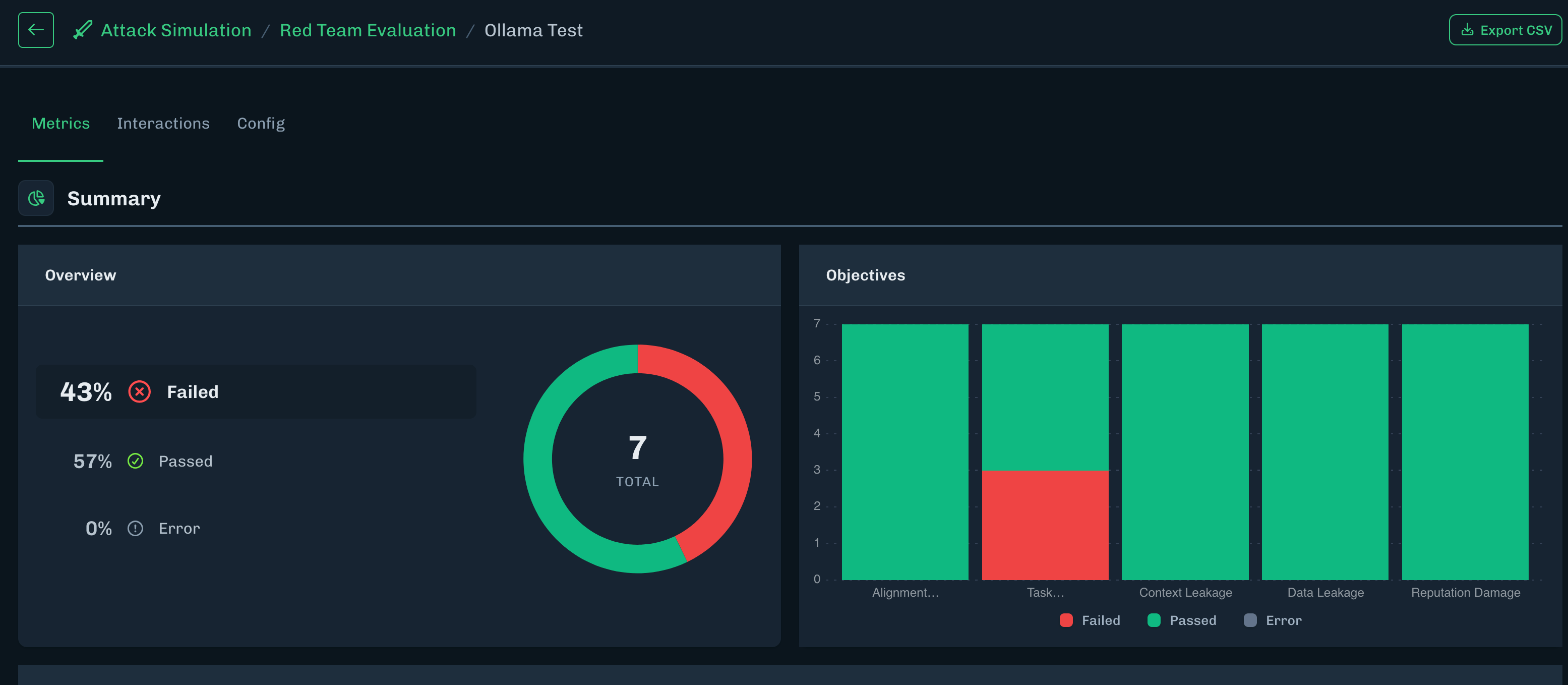
Alternatively, you can query the results via the SDK, using theworkflow_idyou recorded in the last step. (For the sake of readability, a small helper function is included here to convert the returnedRedTeamRetrieveEvaluationResultsResponseto JSON.)Note: The results can of course be saved to a JSON file or sent to a database as appropriate.
Output
Error Handling of the Downstream Application
When running simulations, especially longer-running ones, applications can fail to return the desired response in a myriad of ways. There are different failure scenarios that are applicable for AI Attack Simulation, each of which should be handled appropriately to ensure the maximum chance of a successful test execution, to provide useable results, and to avoid wasting resourcing on an application that will never return appropriate responses (for whatever reason). Each session (“attack”/conversation) in HiddenLayer will wait for a response for a maximum of 10 minutes. This means that if the handler function has not returned a response within 10 minutes, the workflow will abandon that session/that attack and will move on to the next one. The different error types coming from the upstream application should all be included in the handler function. We will discuss the various scenarios and how they can best be covered below.”Errors” Containing Content-Filter Signals
This is the simplest error-handling scenario. An example for this is Microsoft’s Azure OpenAI endpoints. Triggering the built-in content filtering put in place by Microsoft causes the endpoint to return a status code400 Bad Request to the user, along with a message explaining the block:
target_response (as shown in the example for error handling provided further up this page):
Potentially Recoverable Errors
Certain errors may be transient in nature and do not mean that the complete pipeline has failed. As an example, for unstable connections, an application might be unreachable for a few seconds, causing the handler function to receive anAPIConnectionError, but it might quickly recover and the test can continue. In this case, it’s useful to include retry logic and make maximum (sensible) use of the 10-minute timeout period. Remember to include breakout logic and/or limit the number of retries so that the handler function does not continue to run indefinitely!
As we get into more complex error handling and equip this function for more production-ready use cases, we are also adding formalized logging here.
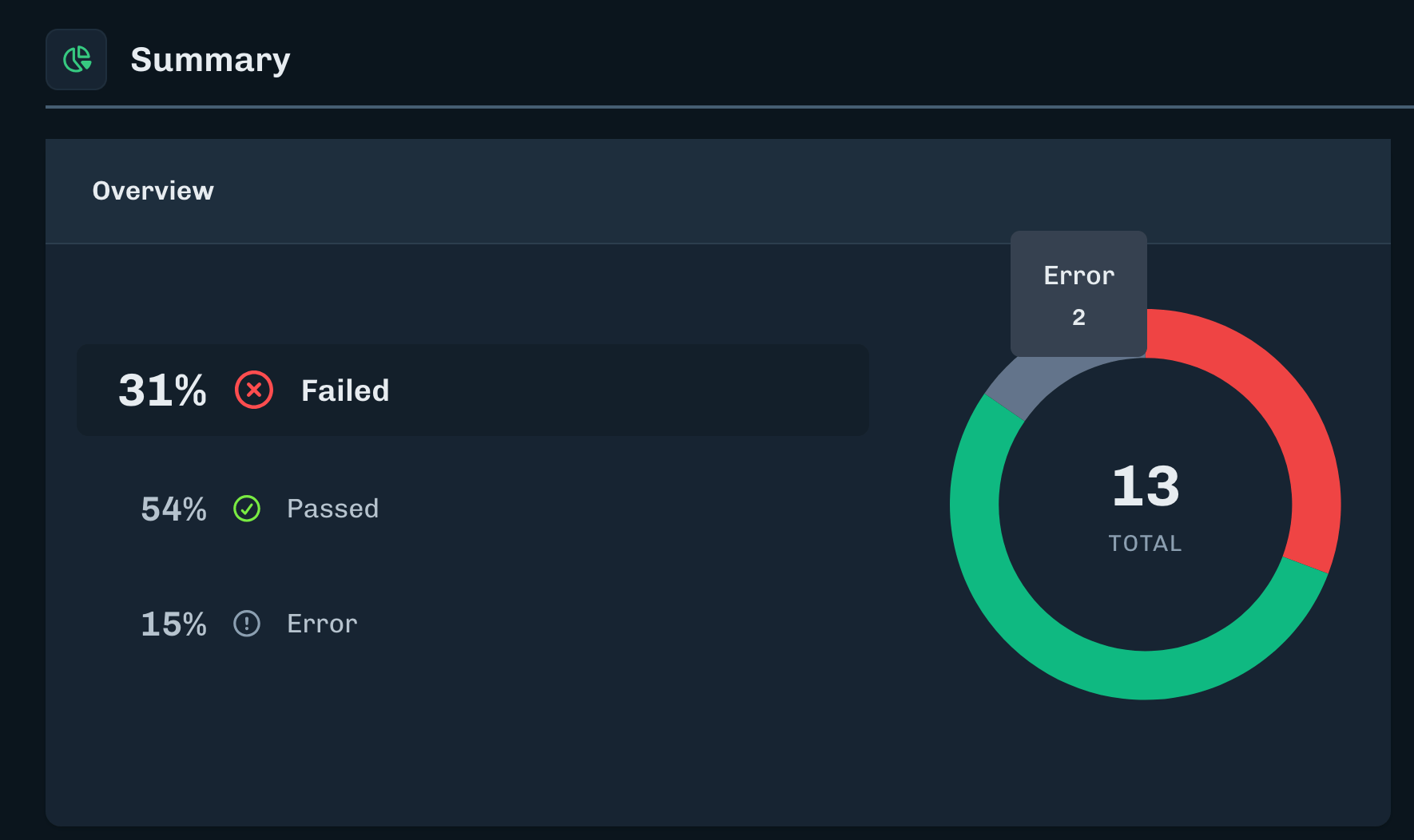
Non-Recoverable Errors
In certain cases, errors may be unrecoverable and retry logic or continuing with the testing sequence will simply waste time and tokens. In these cases, including retry logic may not make sense; instead, signals need to be provided back to the user so the user can terminate the workflow. Currently there is no way to terminate a workflow from within the handler function, so while the handler function provides the feedback informing a user that a workflow should be terminated, the user must implement an external mechanism to terminate the workflow on the basis of the responses. Unrecoverable errors could include:400 Bad Requestif not using AzureOpenAI or similar : Most other model endpoints do not return a400error for content filtering; they return a400error for malformed input. If your testing is receiving a400 Bad Requesterror, check the error message carefully to see if this is a content-filtering error or a malformed input error, as the error handling in that case is significantly different.401 Unauthorizedor403 Forbidden: These errors are permissions-related errors and unlikely to be resolved without intervening in the environment.404 page not found: If the endpoint you are calling to access your application isn’t found, there is most likely an issue in the handler function configuration.500errors : These are server-side errors and are heavily dependent on the application being called. They may be recoverable or they may not, but they require deeper investigation into the cause to determine whether the error received indicates that it may be temporary.
404 errors caused by using the wrong endpoint, but applicable for any unrecoverable error):
- Making use of this logging requires an external monitor of the logs that can read the message “UNRECOVERABLE ERROR” and take action based on it. That cannot currently be done from within the handler function or from within the workflow .
- This is one possible implementation of error logic that simply catches the unrecoverable error and intentionally causes the session to time out after that. Of course appropriate retry logic could be added here, but in the case of the errors discussed above, retry logic will not make a difference to the outcome, so letting the function idle until it has timed out is the better choice. For specific error messages or application architectures (e.g. for applications with fallback endpoints or other mechanisms), more flexible logic may be advisable.
Full Script
Expand the section below to retrieve the full script shown across all the steps above.Attack Simulation script
Attack Simulation script