Skip to content

API Keys

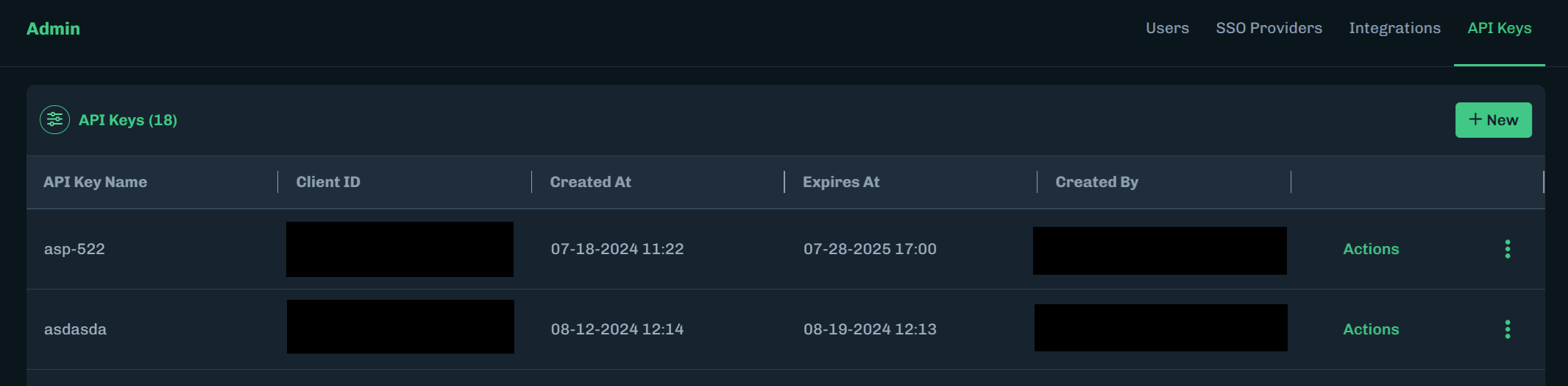
Registering or viewing your API key is one of the two essential onboarding steps in order to start using the AISec Platform. The API key enables you to directly use HiddenLayer’s API endpoints to get the full AISec Platform experience. Once logged in, existing users can edit and create new API keys on the Admin > API Keys page. The second step is choosing your integration options (Third Party Integrations).

Create API Key

  1. In the Console, go to Admin > API Keys.

  2. Click + New.

    Create API Key button
  3. Enter a name for the API key, select an expiration, then click Next.
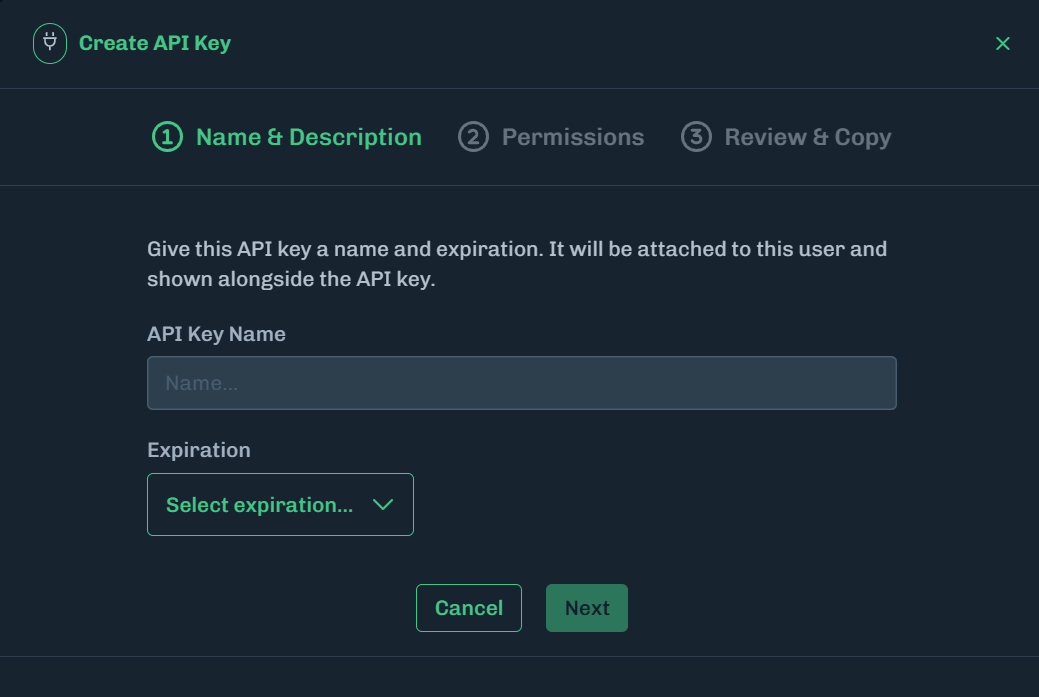
    Enter API Key Name
  4. Select the permissions for each category, then click Create API Key. You can select a combination of Read, Write, and Delete permissions, or click All to allow all permissions for the selected category.

    See the API Permissions and API Resources tables below for more information.

    No Permissions Selected

    Not selecting any permissions will create an API key with all permissions enabled.
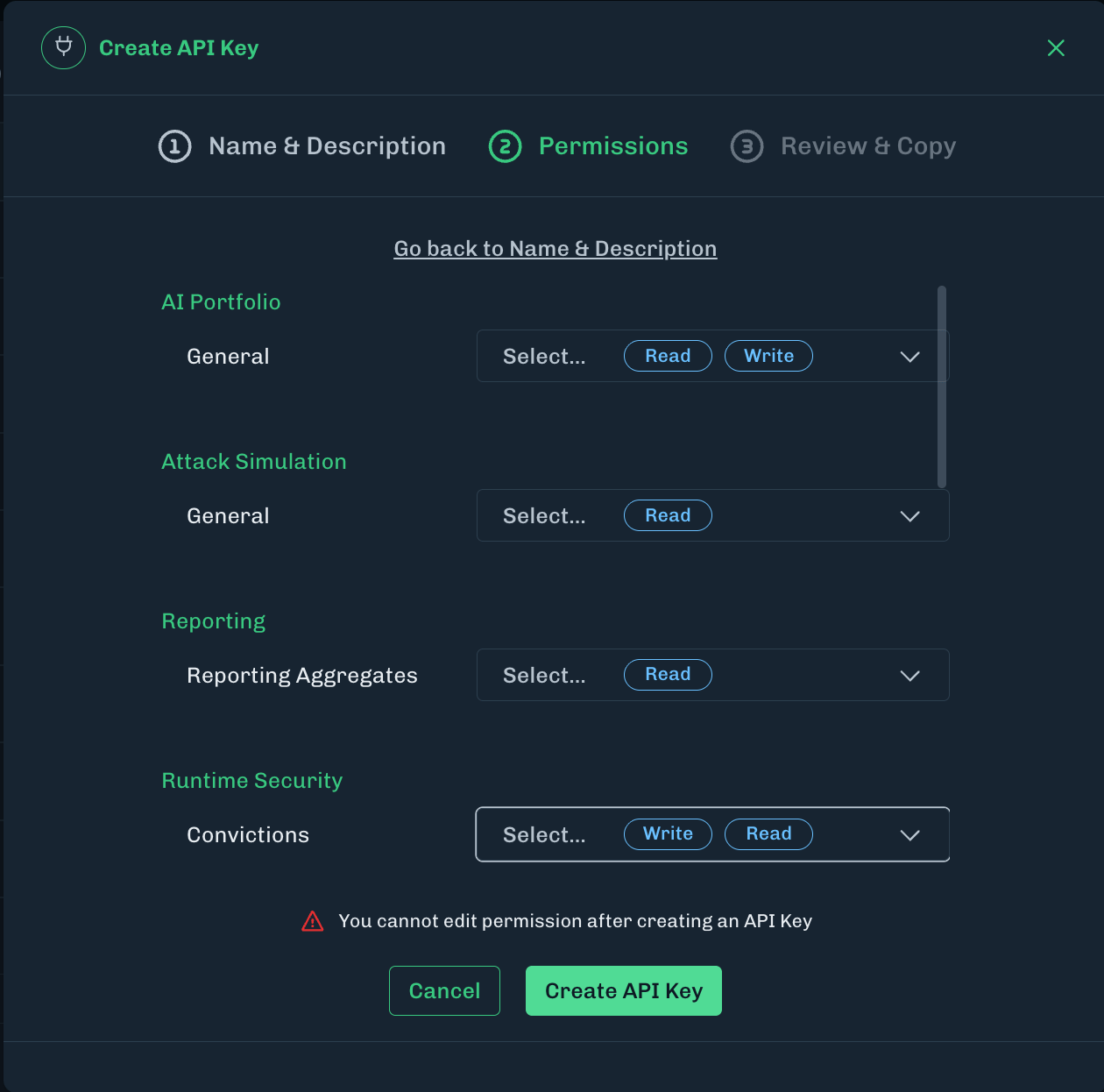
    Select API Permissions
  5. A unique API key is generated. The clientID and clientSecret information is displayed. Click on the copy icon and save into a password manager or to a file in a secure location.

    Save the ID and Secret

    It is important to save this information because you cannot retrieve it in the future.
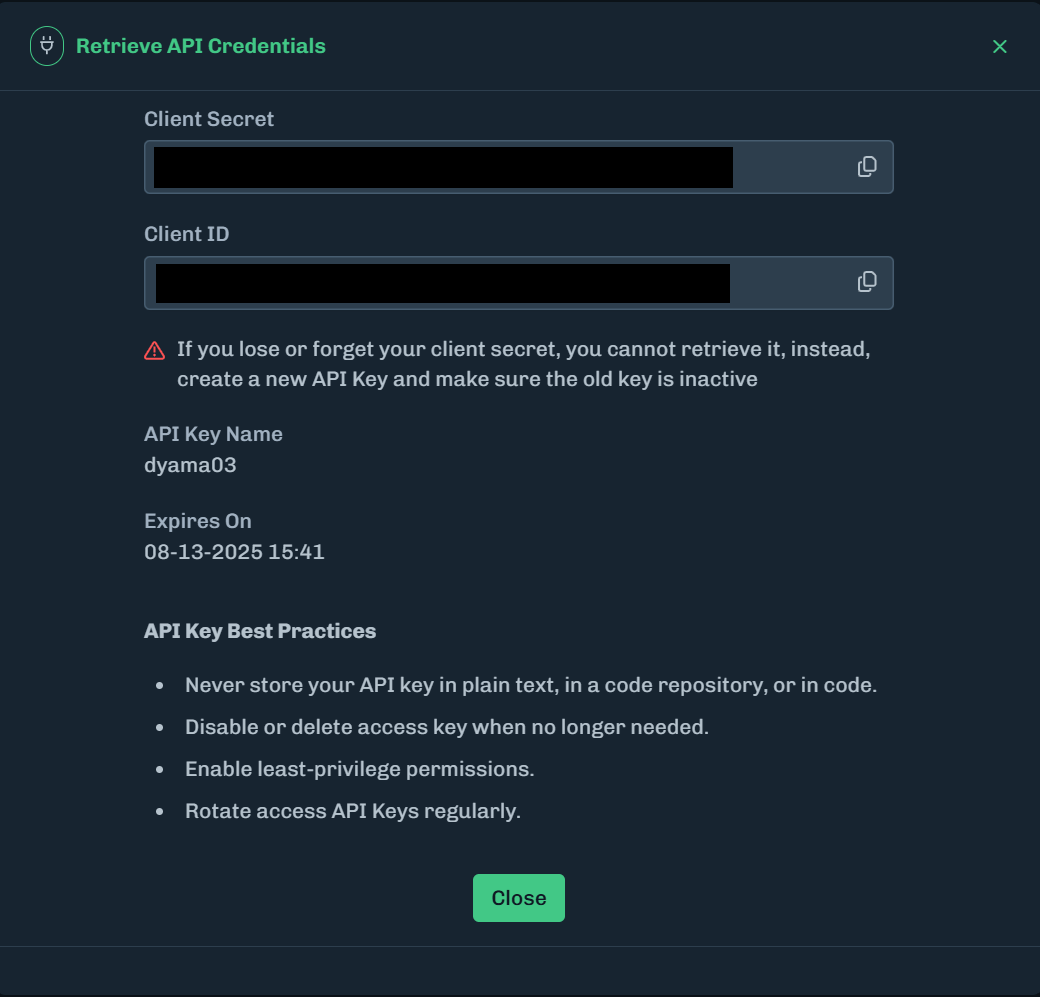
    client ID and client Secret
  6. After saving this information, click Close.

Expired API Key

When an API key is created, an expiration is set. When an API key expires, it is securely deleted and automatically removed from the Console.

Delete API Key

  1. On the API Keys page, click the three vertical dots for the API key you want to delete.
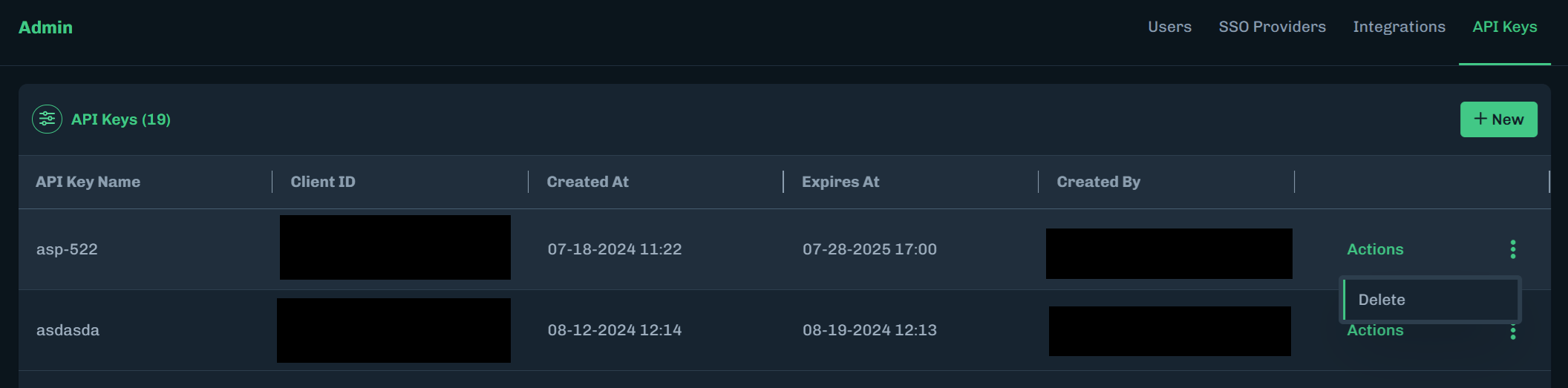
    Select Action to Delete
  2. Click Delete. A message displays, asking you to confirm deleting the key.
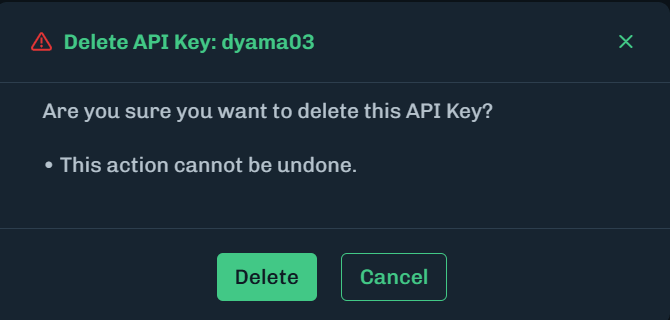
    Message about Deleting Displays
  3. Click Delete.

When should I create a new API key?

API keys are highly secure assets and should be treated as such. Below are examples of when new API keys need to be created. This list is provided as examples based on best practices, and is not exhaustive. We recommend reviewing your own company policies around such requirements.

ScenarioDescription
Security UpdatesCreate a new API key if you suspect that the current key has been compromised or as part of regular security updates. Regularly rotating API keys is a good security practice.
New Team Members or RolesIf a new team member requires access or if there are changes in roles within the team, generating a new API key can help maintain proper access controls.
Project or Environment ChangesFor different projects or development environments (like staging, production), it's advisable for you to use separate API keys. This helps in tracking and managing access more effectively.
After Key ExpirationIf the API key has an expiration date, a new key must be created upon its expiry to maintain uninterrupted access to the platform.
Policy or Compliance RequirementsYou may have organizational policies or compliance standards in place that dictate how often API keys should be rotated or renewed.
Lost API KeyAPI keys are not recoverable. If you forget or lose your API key you must create a new one.

API Permissions

PermissionDescription
AllThe ability to read, write, and delete items in the given category.
DeleteThe ability to delete items in the given category.
ReadThe ability read or view items in the given category.
WriteThe ability to create or edit items in the given category.

API Resources

CategoryDescription
API KeysThe keys for interacting with the HiddenLayer API.
AuditThe user activity in the Console is recorded in the audit log.
DetectionsA Detection is a grouping of convictions, which are malicious events.
InferenceAn Inference is the process where a model makes predictions or draws conclusions from new data.
IntegrationsIntegrations with third-party tools, like Azure ML and Azure Sentinel.
Model InventoryThe Model Inventory is for model scans.
Model ScannerThe permissions for the Model Scanner CLI when deployed in Hybrid Mode.
UsersUsers who have access to the HiddenLayer Console.

API Permissions for Console Access

When creating an API key, users should only be given access to what is required (principle of least privilege). The following table contains the API permissions needed to perform certain tasks.

PageActionAPI Permission
AuditReadAudit Log: Read
Model InventoryViewModel Inventory: Read
Delete ModelModel Inventory: Delete
UploadModel Inventory: Write
CommunityModel Inventory: Write
Model DetailsViewModel Inventory: Read
DetectionsListDetections: Read
View DetailsDetections: Read
Add NoteDetections: Write
Close DetectionDetections: Write
Review Inferences (Model Details and AIDR)ViewInferences: Read
Admin Settings - UsersViewUsers: Read
Create UserUsers: Write
Edit UserUsers: Write
Delete UserUsers: Delete
Admin Settings - API KeysViewAPI Keys: Read
Create API KeyAPI Keys: Write
Delete API KeyAPI Keys: Delete
Admin Settings - SSO ProvidersViewIntegrations: Read
CreateIntegrations: Write
ConfigureIntegrations: Write
EnableIntegrations: Write
DisableIntegrations: Write
DeleteIntegrations: Delete
Admin Settings - IntegrationsViewIntegrations: Read
Azure MLIntegrations: Write
SentinelIntegrations: Write
LLM SandboxPromptInferences: Write
Model Inventory: Write
RulesetsUse Default Ruleset in AIDR deploymentRuleset: Read
ProjectsUse Project and Ruleset in AIDR deploymentProjects: Read
Ruleset: Read

Some HiddenLayer products require an API key and secret. The following table covers the API Permissions needed for a product deployment.

ProductAPI PermissionNotes
AI Detection & Response Generative
  • Inference: Read, Write
  • Projects: Read
  • Rulesets: Read
Permissions needed for AIDR Generative.
Automated Red Teaming
  • Any
Only requires an API client ID and secret that are not expired.
Interactions (SaaS)
  • Any
Only requires an API client ID and secret that are not expired.
Model Scanner CLI Hybrid Mode
  • Model Inventory: Read, Write
  • Model Scanner: Write
Permissions needed for Model Scanner CLI deployed in Hybrid Mode, including Community Scan.

Hybrid Mode sends scan results to the AISec Platform.
Model Scanner GitHub Action
  • Model Inventory: Read, Write
  • Model Scanner: Write
These are the only permissions required to scan models using the GitHub Action integration (including Community Scan). No additional permissions are needed.
Model Scanner Azure DevOps Plugin
  • Model Inventory: Read, Write
  • Model Scanner: Write
These are the only permissions required to scan models using the Azure DevOps plugin (including Community Scan). No additional permissions are needed.
Prompt Analyzer (SaaS)
  • Any
Only requires an API client ID and secret that are not expired.