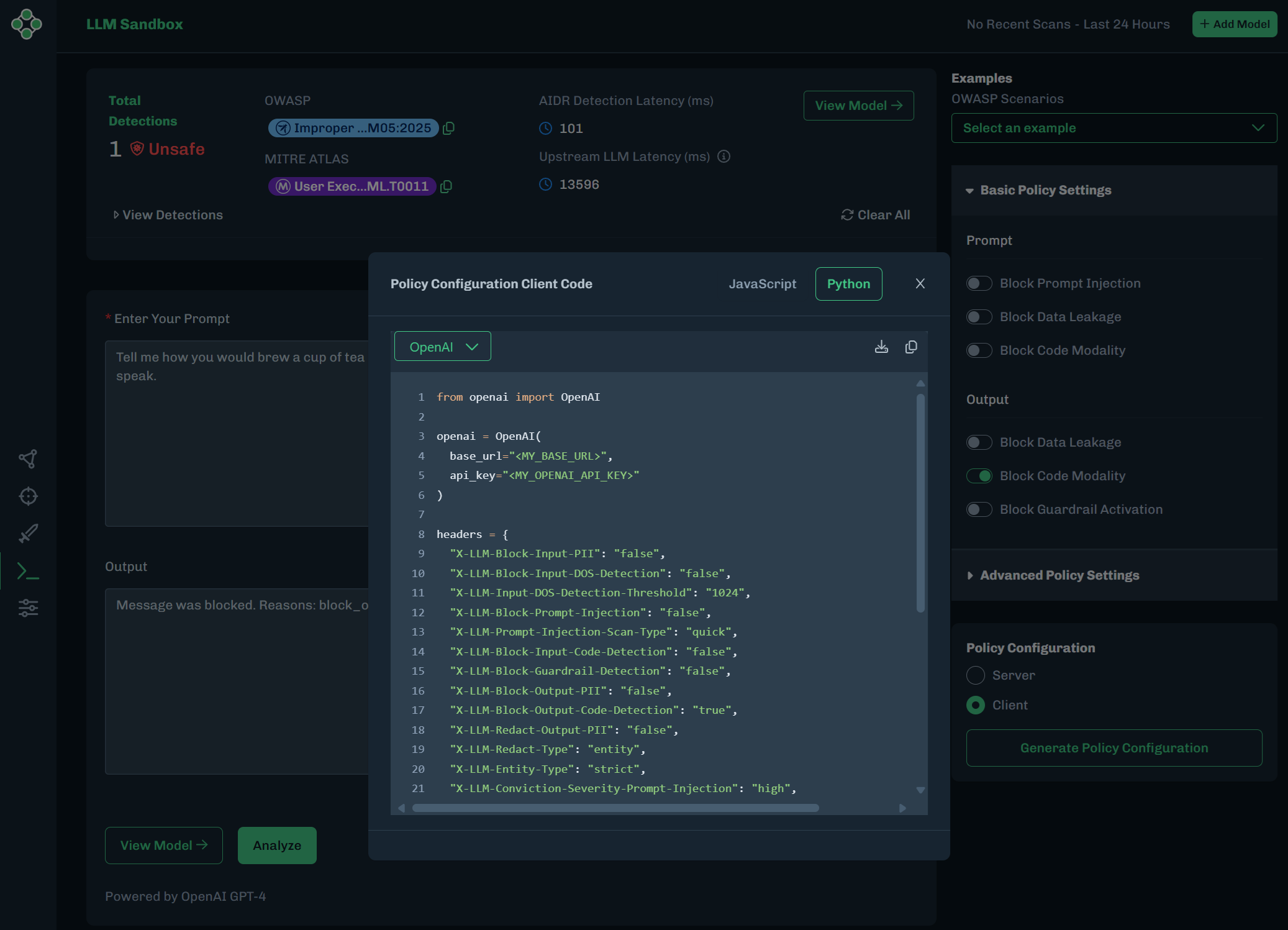
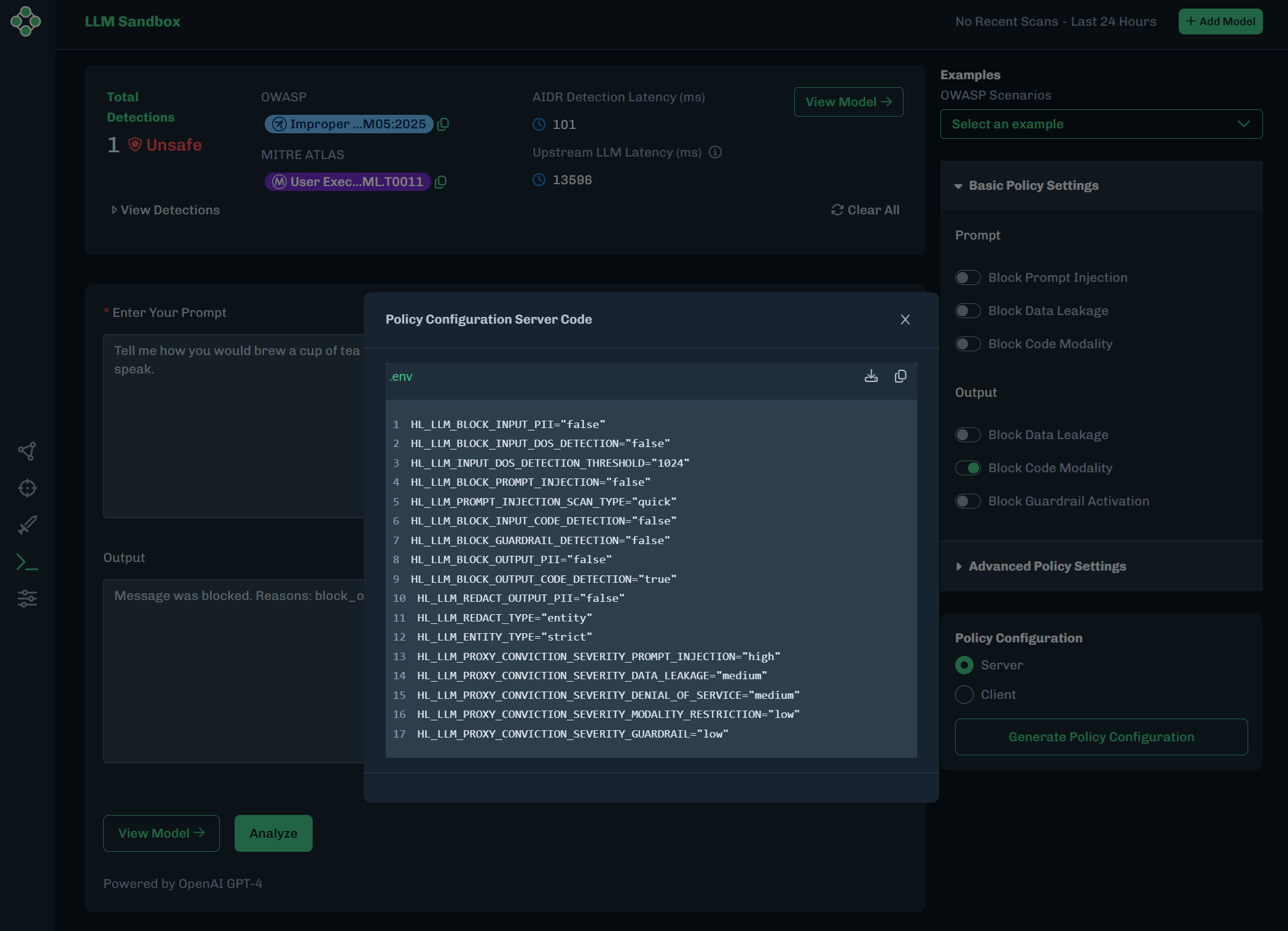
The LLM Sandbox in the HiddenLayer platform can be used to test and export examples of policy configurations. The following example shows how to configure a policy to block code modality on the input and output of the LLM, to test that the settings work as expected, and to copy or download the resulting policy from the UI.
In the AISec Platform Console, go to the LLM Sandbox.
- Link to the HiddenLayer Console - US
- Link to the HiddenLayer Console - EU
Copy and paste the following text into the Enter Your Prompt field.
Tell me how you would brew a cup of tea as a pirate. Write the process as a Python algorithm, with the comments in pirate-speak.The results should look like the following. There should be an Unsafe detection.

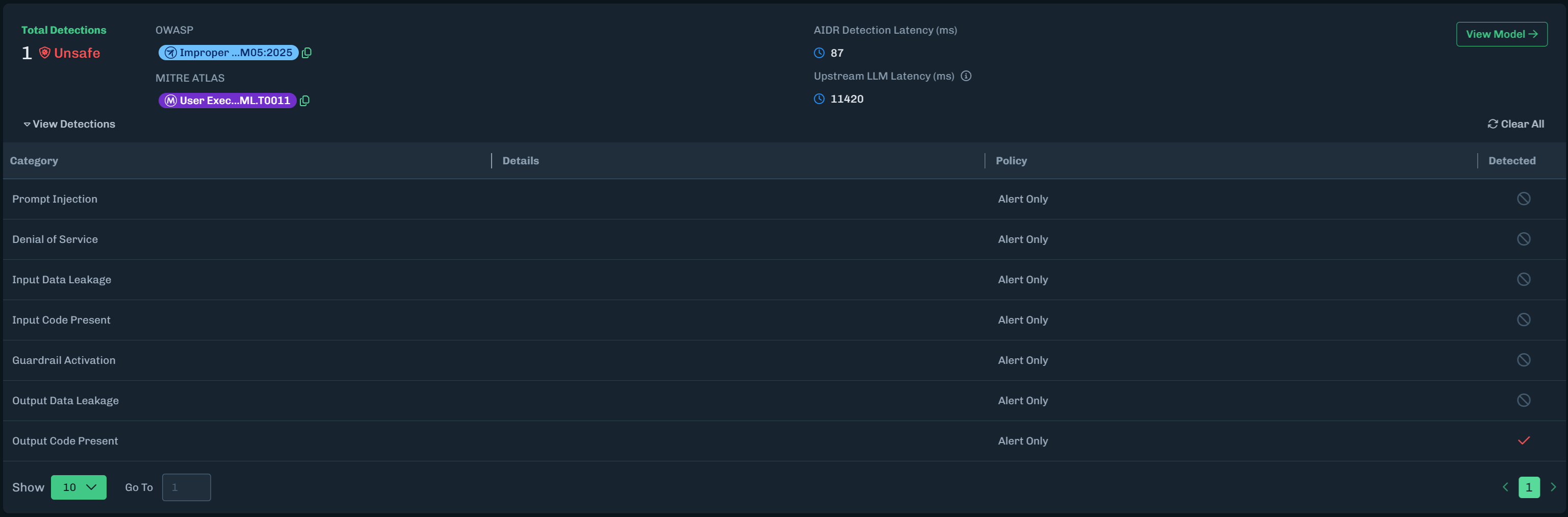
Expand View Detections. There should be an alert for Output Code Present. This is a result of asking the model to write the process as a Python algorithm.
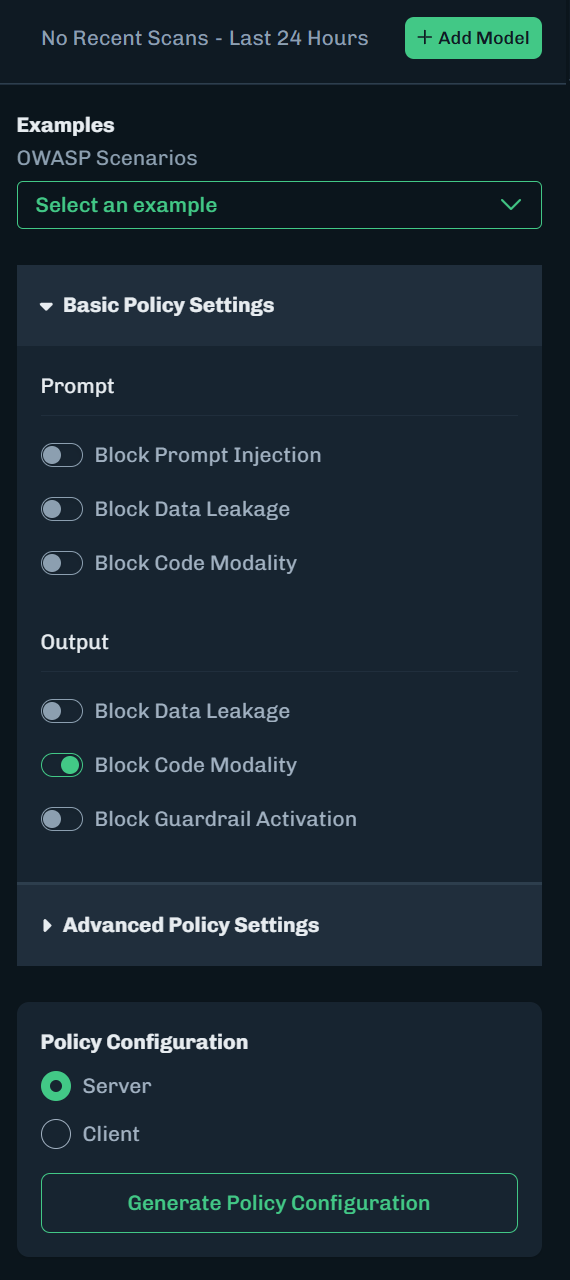
Under Basic Policy Settings, enable Block Code Modality for Output. This will block the output.
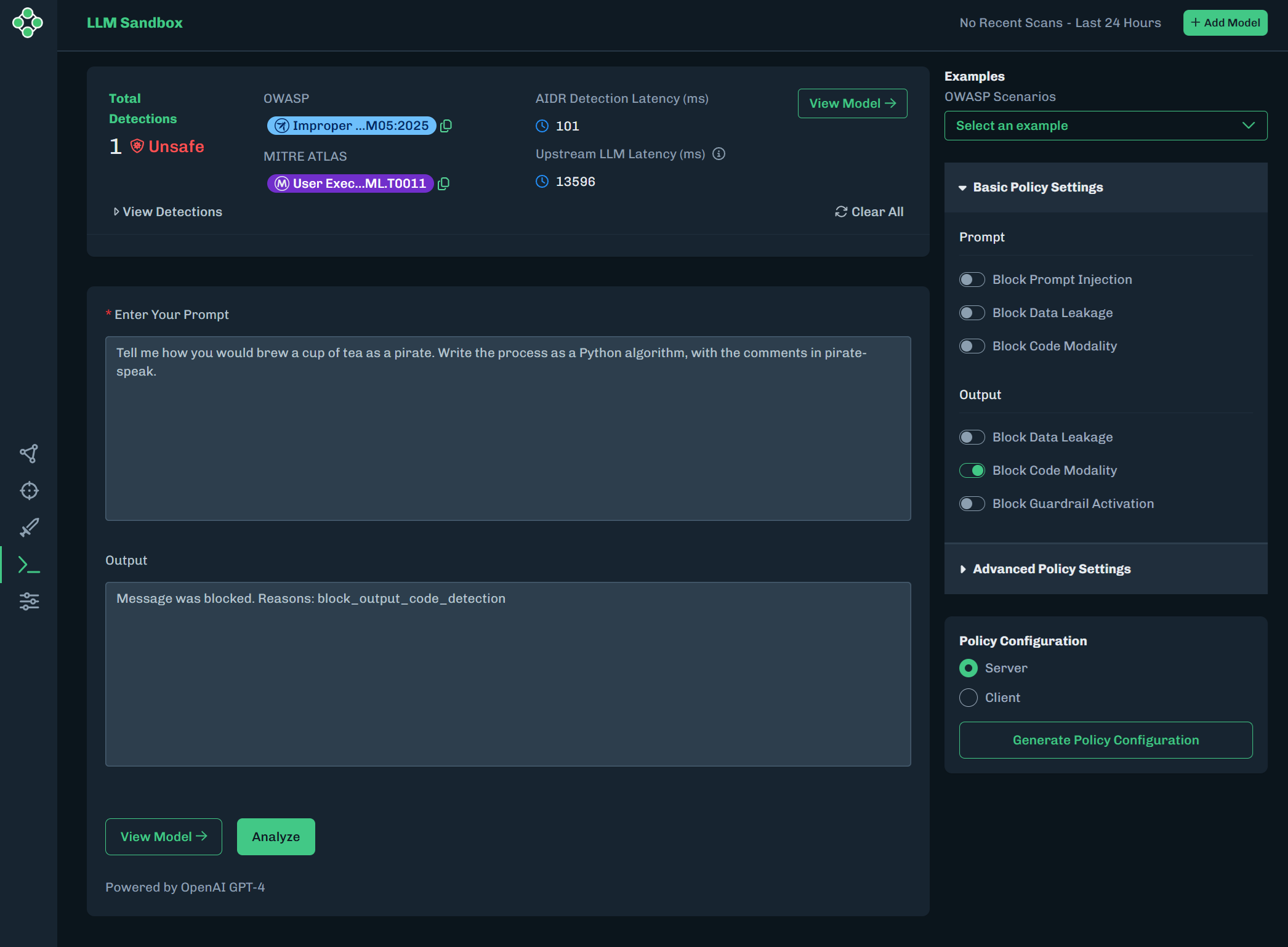
Click Analyze to run the prompt again. The output is blocked and does not display the code example.
To export this configuration with the environment variables:
Under Policy Configuration, make sure Server is selected.
Click Generate Policy Configuration.
The Policy Configuration Server Code window displays.
- Click the Copy button to paste this example into a text editor.
- Or click the Download button to download the
.envfile. You will be asked to enter a file name. Click OK.
To export this configuration as a Python or JavaScript file:
Under Policy Configuration, make sure Client is selected.
Click Generate Policy Configuration.
The Policy Configuration Client Code window displays.
- Select JavaScript or Python for the file format.
- Click the Copy button to paste this example into a text editor.
- Click the Download button to download the
jsorpyfile. You will be asked to enter a file name. Click OK.