Skip to content

AI Asset Discovery for Databricks

AI Asset Discovery automates discovery and inventory of cloud providers, providing a centralized inventory and dashboard of AI assets, including in production and in development models, applications, datasets, and dependencies. This ensures end-to-end visibility of the AI pipeline across teams.

Discoverable Assets

Databricks:

  • Catalog

    • Schema

      • Model

        • Endpoint

Setup Databricks Asset Discovery

The HiddenLayer Databricks Asset Discovery integration allows you to connect HiddenLayer to your Databricks instance and have HiddenLayer discover assets such as models, model serving endpoints, catalogs, and schemas.
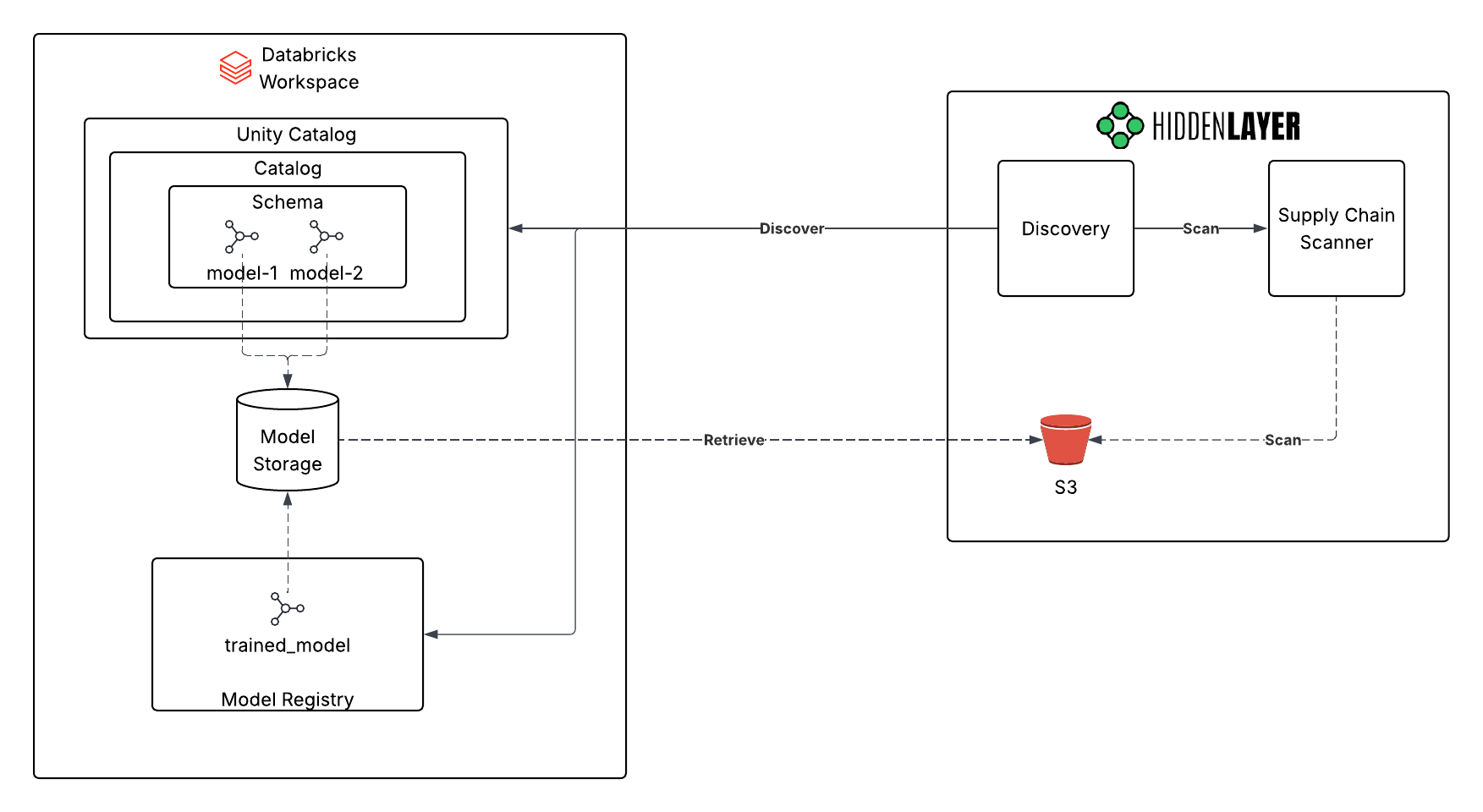
Integration Architecture

You need one integration for each Databricks environment (for example, each workspace or deployment you want discovered). HiddenLayer does not limit how many Databricks Asset Discovery integrations you can configure per tenant—add as many as you need for your environments.

The Client ID and Client Secret belong to a Databricks service principal used for discovery. That principal must be granted at least these permissions:

  • USE CATALOG
  • USE SCHEMA
  • SELECT
  • READ VOLUME (file retrieval)
  • EXECUTE (file retrieval)
  1. In the HiddenLayer Console, go to Settings > Integrations.
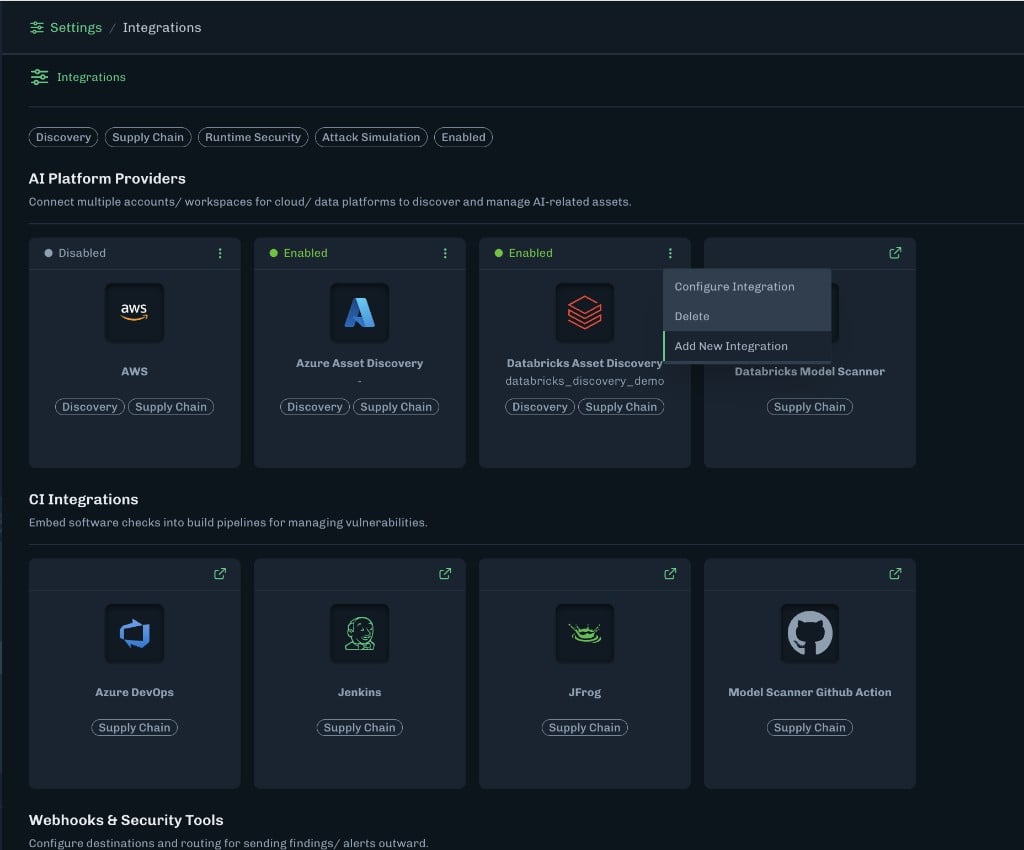
    Settings Integrations page with Databricks Asset Discovery and Add New Integration in the card menu
  2. Under AI Platform Providers, find Databricks Asset Discovery. Open the menu (three dots) on that card, then select Add New Integration.

  3. Enter a name for the integration.

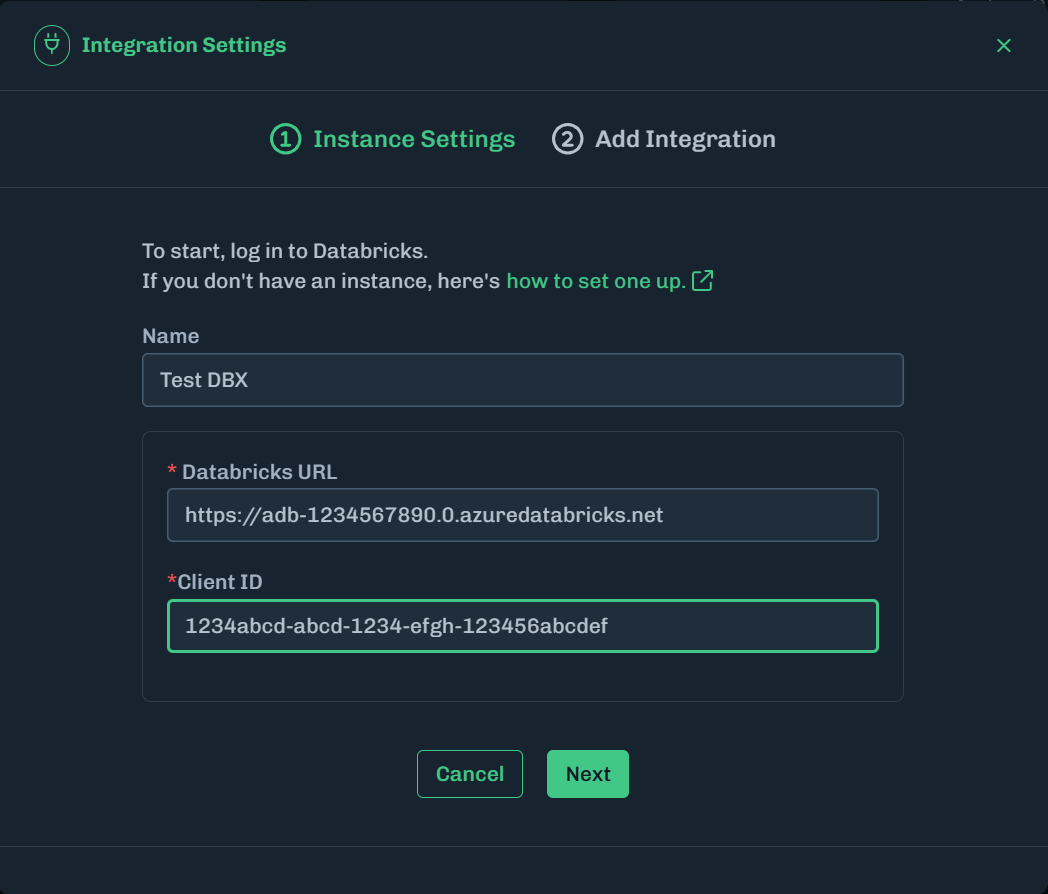
  4. Add the Databricks URL and Client ID.

    Add Databricks URL and Client ID
  5. Click Next.

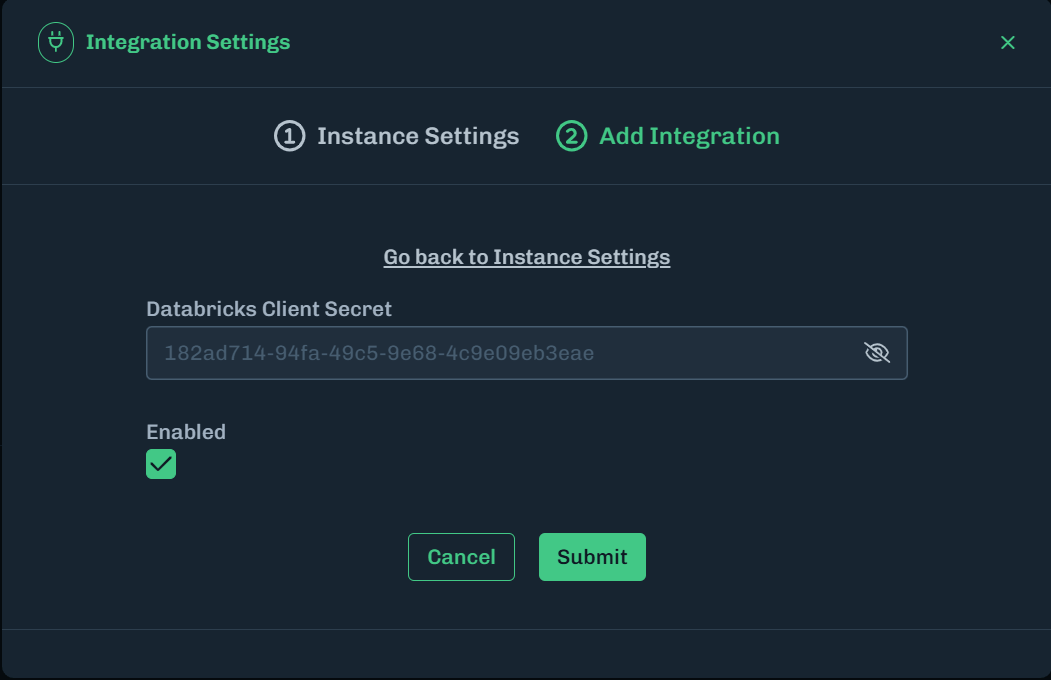
  6. Enter the Databricks Client Secret.

    Enter Databricks Client Secret
  7. Make sure Enabled is selected if you want to enable this integration at this time. Deselect Enabled if you want to enable this integration at a later time.

  8. Click Submit.