

Discoverable Assets
Foundry:-
Models
-
Endpoints
- Agents
-
Endpoints
-
Models
-
Registries
-
Workspaces
- Endpoints
-
Workspaces
-
Registries
Prerequisites
Access to Microsoft Foundry with the following permissions.- Owner role assigned for target Subscription
- Cloud Application Administrator in Entra ID
Setup Azure Asset Discovery
The HiddenLayer Azure Asset Discovery integration allows you to connect HiddenLayer to your Azure instance and have HiddenLayer discover assets such as models, endpoints, and agents.- In the HiddenLayer Console, go to Settings > Integrations.
-
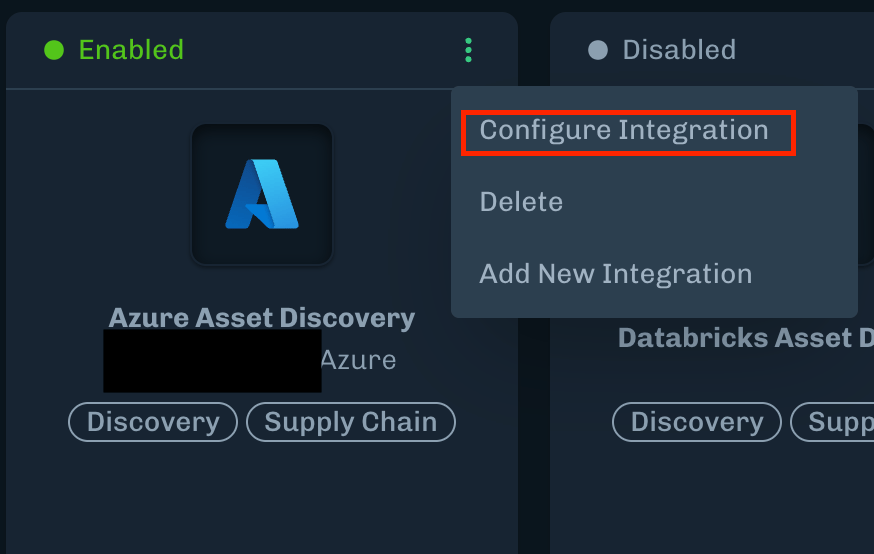
Under AI Platform Providers, for Azure Asset Discovery, click the menu (three dots), then select Configure Integration.
-
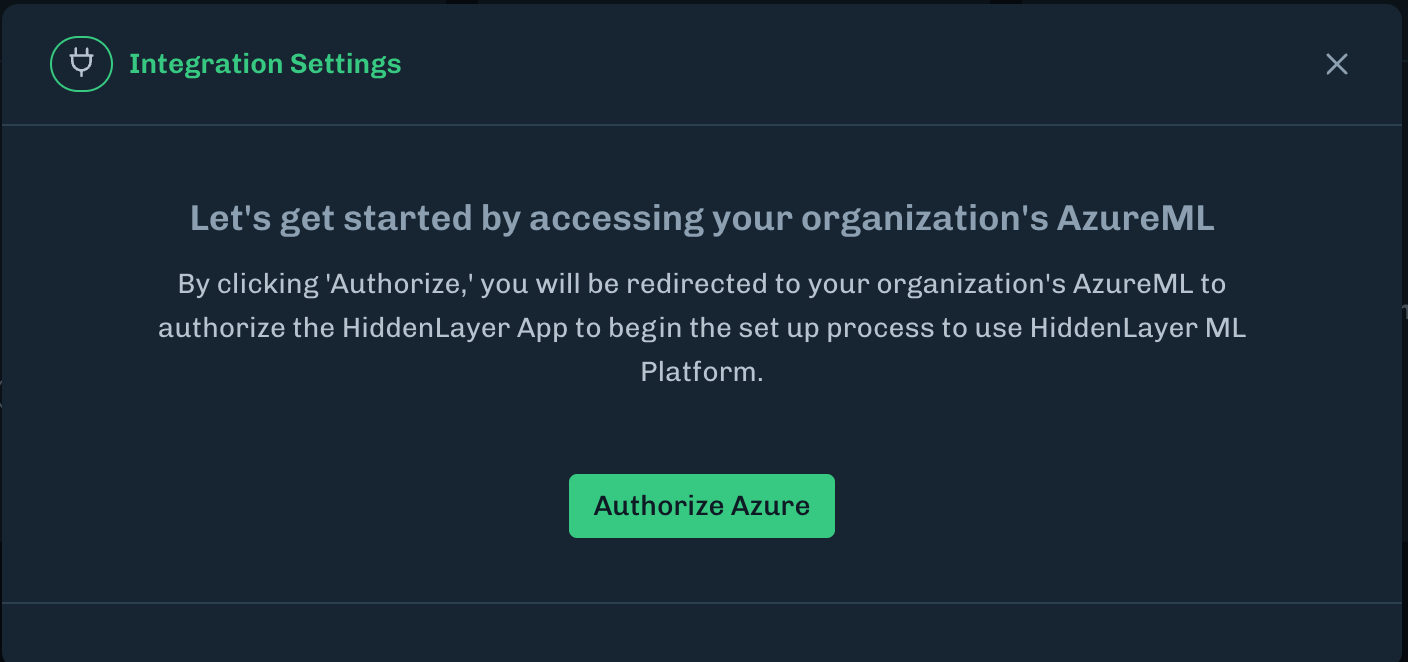
Click Authorize Azure.
- You will then be re-directed to login to your Microsoft account.
- After logging in to your Microsoft account, you will be redirected back to the Integrations page.
-
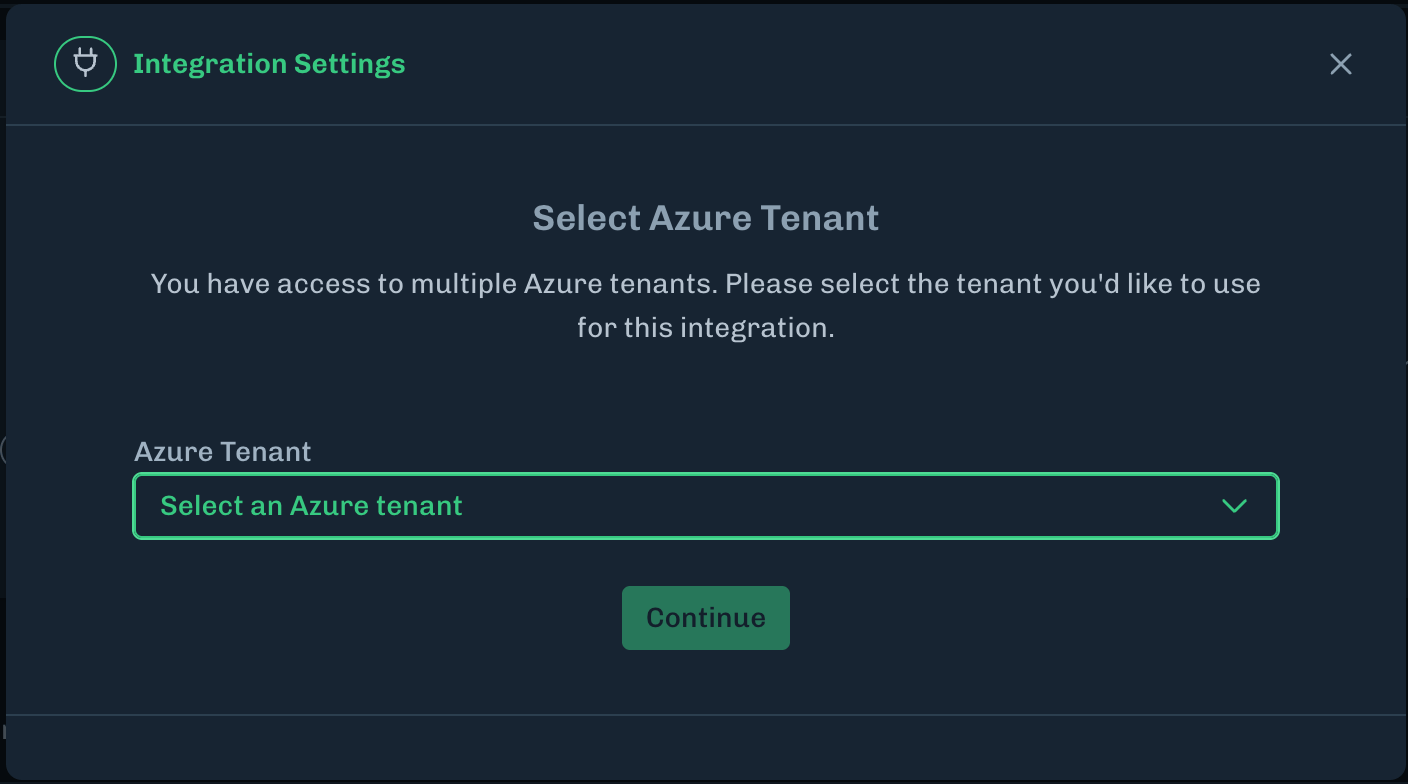
Select the Azure Tenant to use for the integration and click Continue.
- You will then be re-directed to login to your Microsoft account.
-
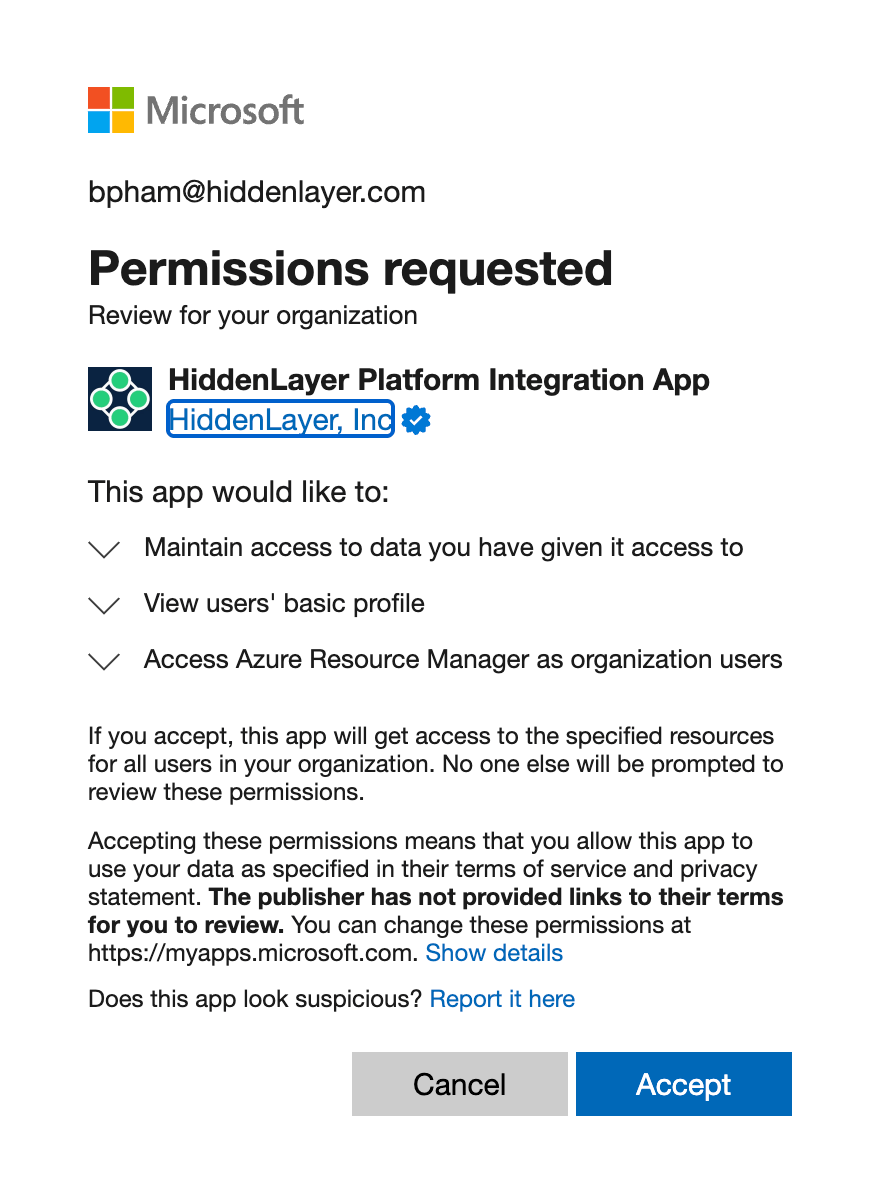
Accept the Permissions requested modal.
- After accepting the permissions, you will be redirected back to the Integrations page.
-
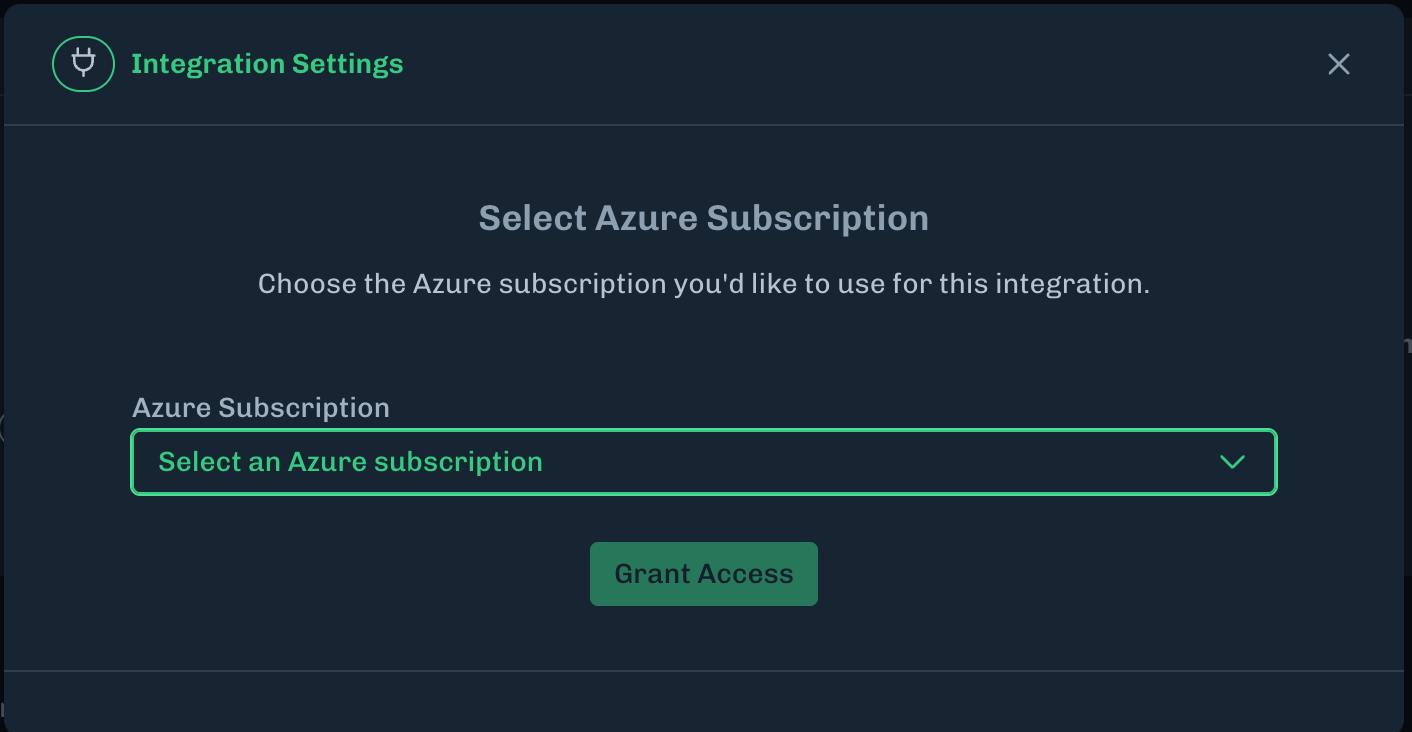
Select the Azure Subscription to use for this integration and click Grant Access.
- The integration setup is now complete.
-
Ensure the integration has been enabled.
- Click the menu (three dots), then select Configure Integration.
- Check the Enabled box if it isn’t already checked, and save.
FAQ
-
Is this a GA ready feature?
- Yes. This feature was released to GA on August 18th, 2026.
-
What scenarios or environments are currently supported with Asset Discovery for Azure?
- Azure Foundry
- Azure Machine Learning
-
How does the Azure Asset Discovery integration setup and discovery process work?
-
When setting up the integration, you will be asked to log into your Azure account.
- This account does not need a Service Principal.
-
This Azure account does need to have:
- Owner role assigned for target Subscription
- Cloud Application Administrator in Entra ID
-
After logging in, the onboarding process will install HiddenLayer’s enterprise application into your Entra which will set up a Service Principal.
- The Cloud Application Administrator role in Entra ID is needed because the onboarding process registers our application into Azure which creates the Service Principal for that tenant.
- This Service Principal is used by Discovery to discover assets after onboarding is complete.
- See what role definition is applied to the Service Principal below.
-
When setting up the integration, you will be asked to log into your Azure account.
-
Which permissions are needed?
- “Microsoft.Storage/storageAccounts/read”
- “Microsoft.Storage/storageAccounts/blobServices/read”
- “Microsoft.Storage/storageAccounts/blobServices/containers/blobs/read”
- Reason: some Azure AI services store models in the storage accounts. These permissions enable retrieval of models for scanning and analysis.
-
Is the authentication certificate or secret based?
- It is federated identity based.
-
What scenarios or environments are not currently supported?
- Azure Copilot Studio
-
Third party models (Ex: HuggingFace):
- Models that are downloaded and embedded into a docker image and run as a container in Azure Container Apps Container instance, or Kubernetes Service.
- Models that are baked into a service and deployed via App Services.
- Models that are baked into a service and then run in a virtual machine.
- Models that are pulled via an Azure Function.
-
When the integration is disabled or removed, is there automatic cleanup of the required RBAC permissions?
- No, there is no automatic cleanup of the RBAC permissions.
Data governance
The following answers cover what Azure Asset Discovery collects, how that data is protected, and how it is retained. Platform-wide practices are also described in Product Data Collection and Handling and Audit Log.What customer data does Azure Asset Discovery collect and store?
What customer data does Azure Asset Discovery collect and store?
Azure Asset Discovery enumerates Azure Machine Learning and Microsoft Foundry resources in the subscriptions you onboard. It does not inventory general Azure infrastructure.For each discovered asset, HiddenLayer stores metadata returned by the Azure SDK or REST API used to enumerate that asset. That typically includes:
- Resource identifiers, including the Azure ARM ID
- Names, region, and tags
- Relationships to other discovered assets
- References to Azure Blob Storage containers or files associated with models
Which Azure assets are discovered, and which APIs are used?
Which Azure assets are discovered, and which APIs are used?
HiddenLayer retrieves the following assets from onboarded subscriptions:Microsoft Foundry
- Foundry model deployments
- Foundry deployment endpoints
- Foundry agents (Assistants API)
- Foundry agents (Agents API)
- Foundry agent model references
- Workspaces
- Registries
- Workspace models
- Registry models
- Online endpoints and online deployments
- Serverless endpoints and serverless catalog models
- Batch endpoints and batch deployments
The service principal permissions used for these calls are listed in Role Definition for Service Principal.
Is discovered data encrypted at rest and in transit?
Is discovered data encrypted at rest and in transit?
Yes. Stored data, including Azure asset metadata described above, is encrypted at rest using AES-256 or stronger. Data in transit between your browser, the HiddenLayer Console, and integrations is encrypted using HTTPS/TLS. There is no unencrypted storage or transmission path in the HiddenLayer environment.See Encryption by Default.
Who can access discovered data?
Who can access discovered data?
HiddenLayer staff do not have standing access to your tenant data. If you want HiddenLayer to help troubleshoot, an administrator enables a support access window in account settings for a set number of days or indefinitely, and can turn it off immediately. Each use of that access is logged, including who used it and why.Customer users access discovered data according to their HiddenLayer Console roles.
What audit logging is available, and can logs go to a SIEM?
What audit logging is available, and can logs go to a SIEM?
HiddenLayer records administrative activity, including logins, user and role changes, API key and login changes, integration setup changes, and models or projects being added or deleted. Audit log entries are retained for 365 days and can be viewed in the Console under Settings > Audit Log.The audit log covers changes and administrative actions. It does not record every time a user only views a page. If your program requires logging every view, contact HiddenLayer so the requirement can be reviewed.You can send audit logs to a SIEM using Splunk or a custom webhook configured for audit logs. Azure Sentinel integration currently carries detection alerts, not the administrative audit log.See Audit Log.
What happens to discovered assets if the integration is deleted or a subscription is omitted?
What happens to discovered assets if the integration is deleted or a subscription is omitted?
When the Azure Asset Discovery integration is deleted, previously discovered assets remain in your HiddenLayer tenant. HiddenLayer does not automatically remove inventory when the connection is removed. There is also no automatic cleanup of the Azure RBAC role assignments. See FAQ item 7.HiddenLayer matches the same Azure resource across a later recreate using the Azure ARM ID, so rediscovery updates the existing inventory record instead of creating a duplicate.Assets from a subscription that was previously onboarded but is not included when the integration is recreated remain in the tenant as stale data. Discovery does not refresh those records until that subscription is onboarded again.
Can I export discovered assets before deleting the integration?
Can I export discovered assets before deleting the integration?
Yes. The Discovery page can export the current asset list as a spreadsheet (CSV). That is a reporting export of inventory columns. It is not a full backup of scan findings, and it is not required for inventory to persist after you delete the integration.See Discovered Assets.
Can I add or remove Azure subscriptions without deleting the integration?
Can I add or remove Azure subscriptions without deleting the integration?
Not today. After an Azure Asset Discovery connection exists, you can rename it or enable and disable it. You cannot add or remove subscriptions on that existing connection.To change subscription scope, delete the connection and repeat onboarding with the full subscription list you want in scope. Previously discovered assets remain in the tenant as described above.
Onboarding Process in Detail
HiddenLayer owns the App Registration, which is essentially a template. During onboarding, the administrator in the user tenant will instantiate the App Registration into their tenant which becomes an Azure Enterprise Application within the user’s tenant. An Enterprise Application has a Service Principal ID associated with it at creation time. The onboarding process will then use the delegated permission from the administrator to create a HiddenLayer Asset Discovery Reader Role IAM role within the target subscription. Lastly, the delegated access is used to grant the Enterprise Application the HiddenLayer Reader Role. HiddenLayer’s App Registration has a unique ID (CLIENT_ID) that all the instantiations inherit. The user’s Azure tenant ID is gathered during onboarding, enabling HiddenLayer to assume the Service Principal associated to the Enterprise Application in the user’s instance. This enables HiddenLayer to “AssumeRole”. HiddenLayer uses the Federated Identity pattern to grant our service the credentials needed to perform the authentication into Azure and through to the customer’s tenant.- Only our service is granted these credentials.
- There are no long-lived credentials. Our platform creates and rotates a JWT for the service.
- Only our service has the internal identity allowed to use the JWT.