The Detections page displays AI Detection & Response (AIDR) detections for all associated versions and models. The Detections page makes it easier to manage and analyze model-related attack monitoring data for individual models and all models. The page displays a total transactions visualization displayed by high, medium, and low severity and an easily actionable data table organized by open date, detection name, severity, and status, with each row being clickable via Detection Details.
Scan results include a Detection Category and Threat Level to provide some insight into risks related to the model file. See Detection Categories for more information.
In the Console, select Runtime Protection > Detections in the side navigation. See Colunn Descriptions for a description of the content for each column in the Detections table.
- Detections by Threat Level: Displays the number of detections and a break-down of the number of detections for each threat level, for the last seven days.
- Detections by Category: Displays the number of detections by detection category.
- Top Requesters by Detection: Displays the top five requesters and the number of detections associated with each requester.
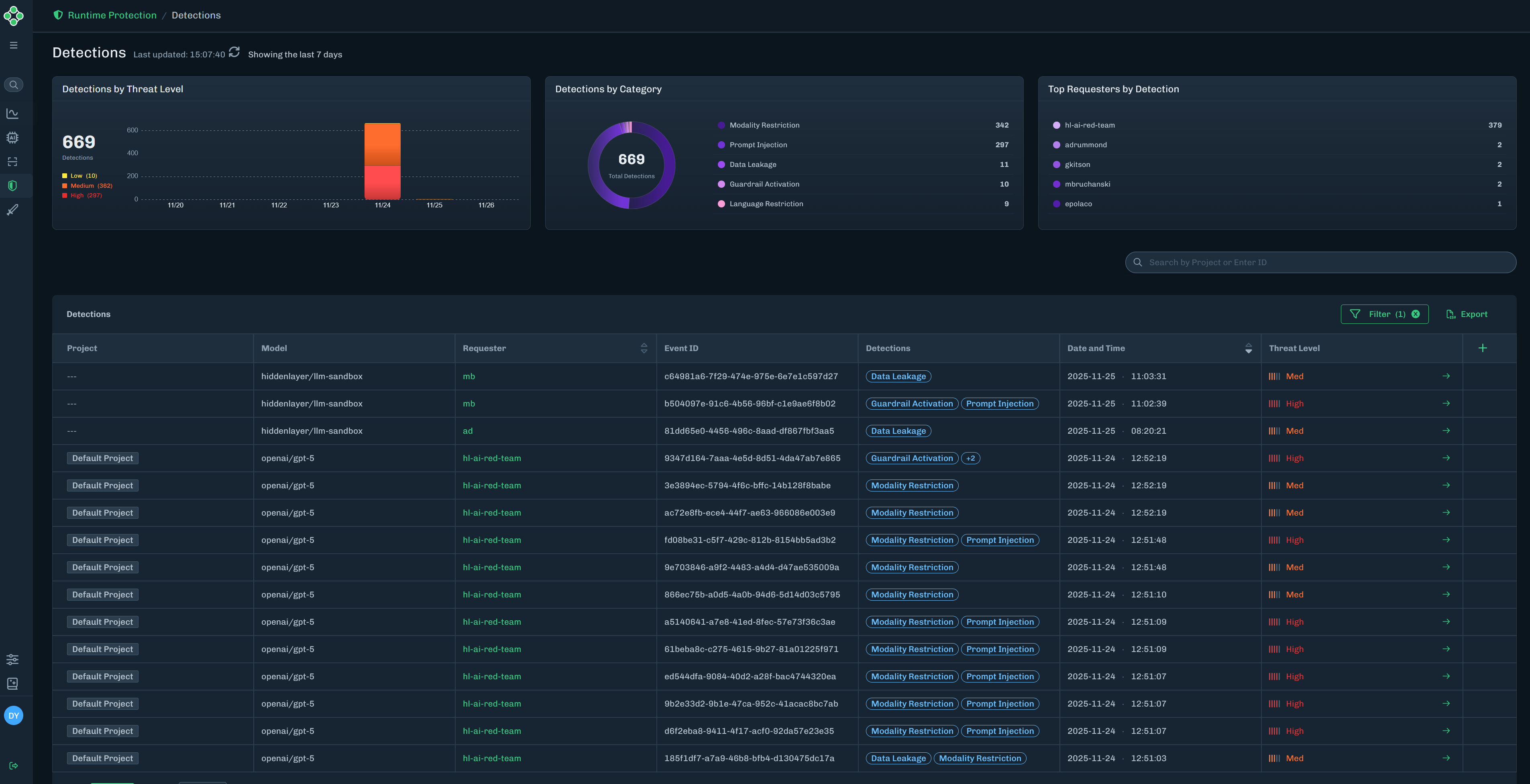
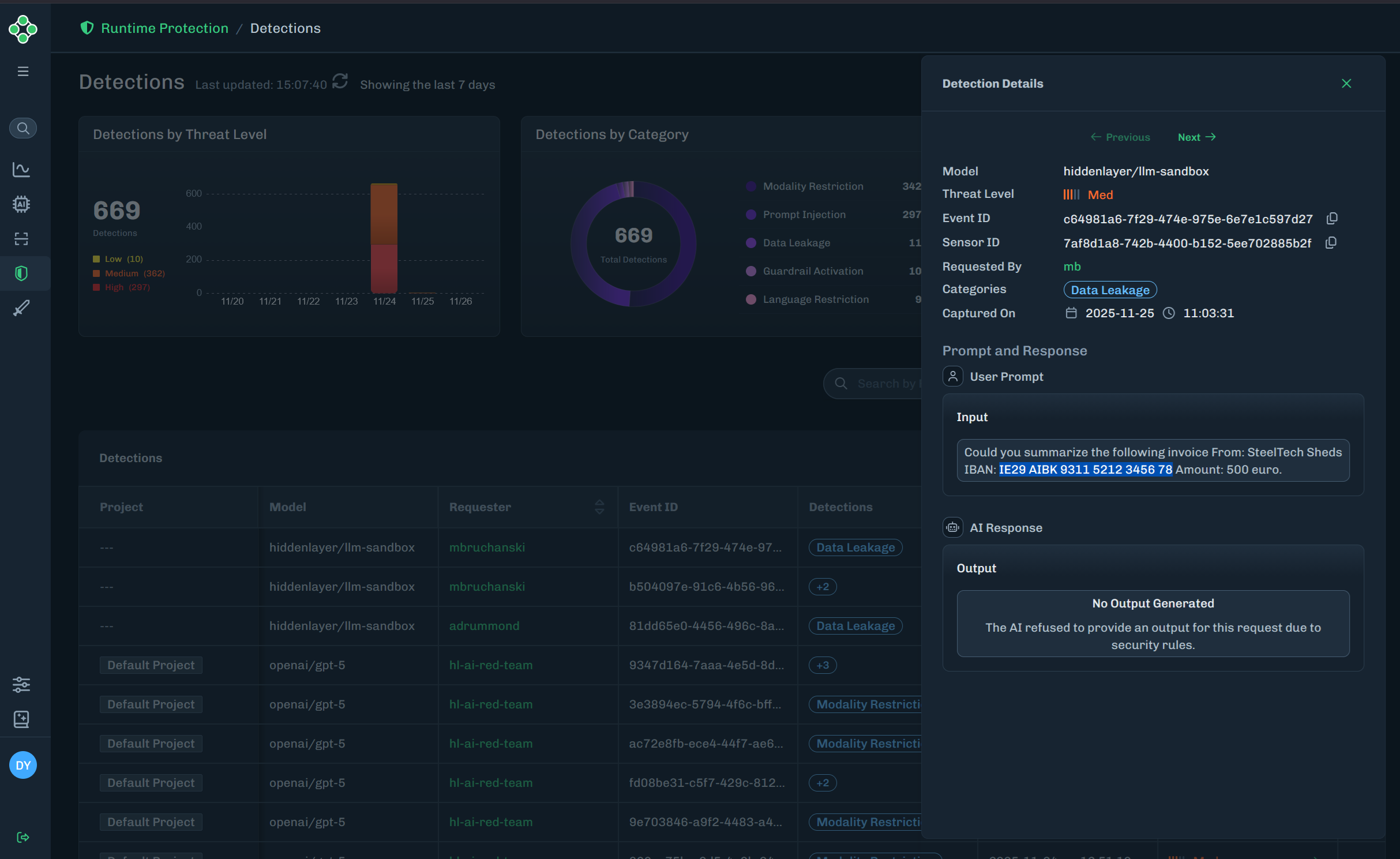
Find the detection you want to view, then click the green arrow to the Detection Details slide-out.
The Detection Details slide-out provides detailed information on the model name (related to the detection), threat level, event ID, sensor ID, requested by (who ran the input), categories (detection categories related to the detection), captured on date, and the user prompt (input and ouput).
| Column | Description |
|---|---|
| Project | The name of the runtime project related to the detection. |
| Model | The name of the model related to the detection. |
| Requester | The requester ID related to the detection. |
| Event ID | A unique ID for the detection. |
| Detections | The detection categories related to the detection. |
| Date and Time | The date and time of the detection. |
| Threat Level | The threat level related to the detection. This can be High, Med, Low, or None. |