Interactions performs a detailed security analysis of the input and output of LLM interactions.
Interactions is a flexible API that allows users to ensure that AI inputs and outputs are safe. The API takes a prompt input and / or model output, and returns a detailed analysis for many detection categories.
A user making a post request to the API with a prompt will receive a detailed analysis with details about which detections were triggered by the prompt. For example, it will return detections for prompt injection, personally identifiable information (PII), code, denial of service, guardrails, model refusals, and prompt language.
The detections are based on the rules configured for the relevant Project. For example, if the rules were configured to allow the model to return code, but not PII, the API would not returns detections if the only detections were for code.
In the Console, select Runtime Protection > Interactions in the side navigation. See Colunn Descriptions for a description of the content for each column in the Detections table.
- Traffic Monitoring: Displays the number of interactions and the number of detections per day, for the last seven days.
- Top Requesters by Interactions: Displays the top five requesters and the number of interactions associated with each requester.
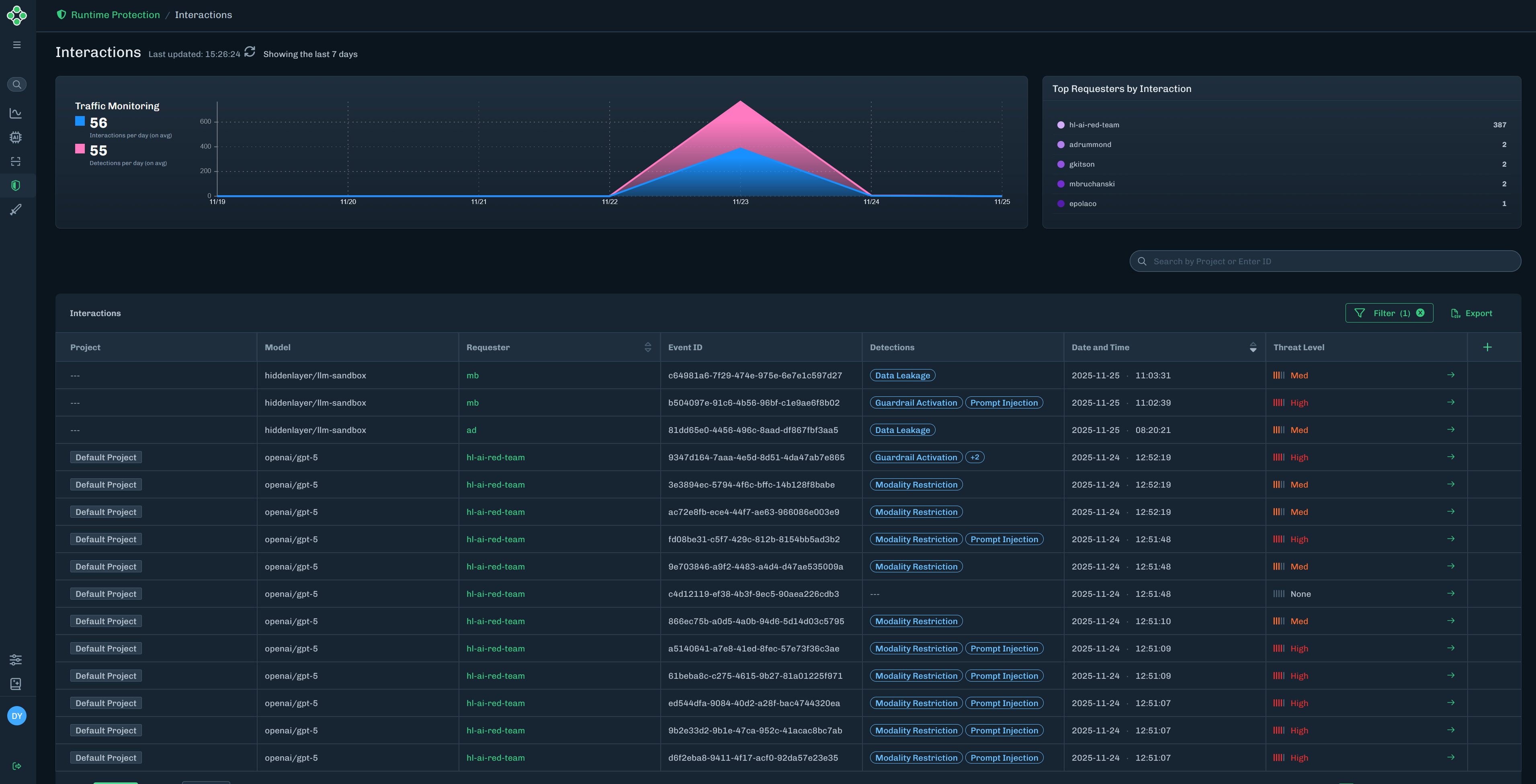
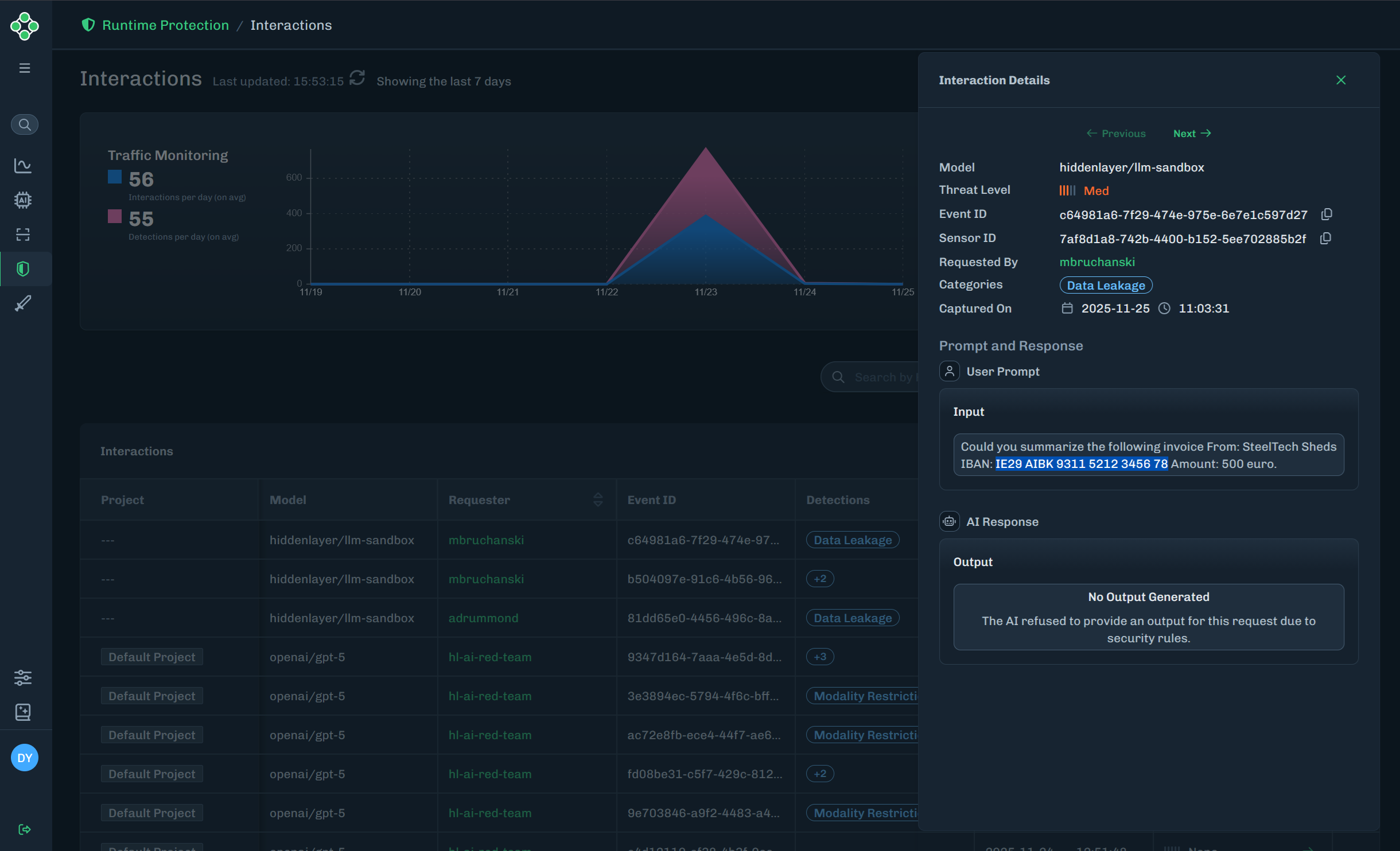
Find the interaction you want to view, then click the green arrow to the Interaction Details slide-out.
The Interaction Details slide-out provides detailed information on the model name (related to the interaction), threat level, event ID, sensor ID, requested by (who ran the input), categories (detection categories related to the interaction), captured on date, and the user prompt (input and ouput).
| Column | Description |
|---|---|
| Project | The name of the runtime project related to the detection. |
| Model | The name of the model related to the detection. |
| Requester | The requester ID related to the detection. |
| Event ID | A unique ID for the detection. |
| Detections | The detection categories related to the detection. |
| Date and Time | The date and time of the detection. |
| Threat Level | The threat level related to the detection. This can be High, Med, Low, or None. |