

Detection CategoriesScan results include a Detection Category and Threat Level to provide some insight into risks related to the model file. See Detection Categories for more information.
-
In the Console, select Supply Chain > Asset Scans in the side navigation.
-
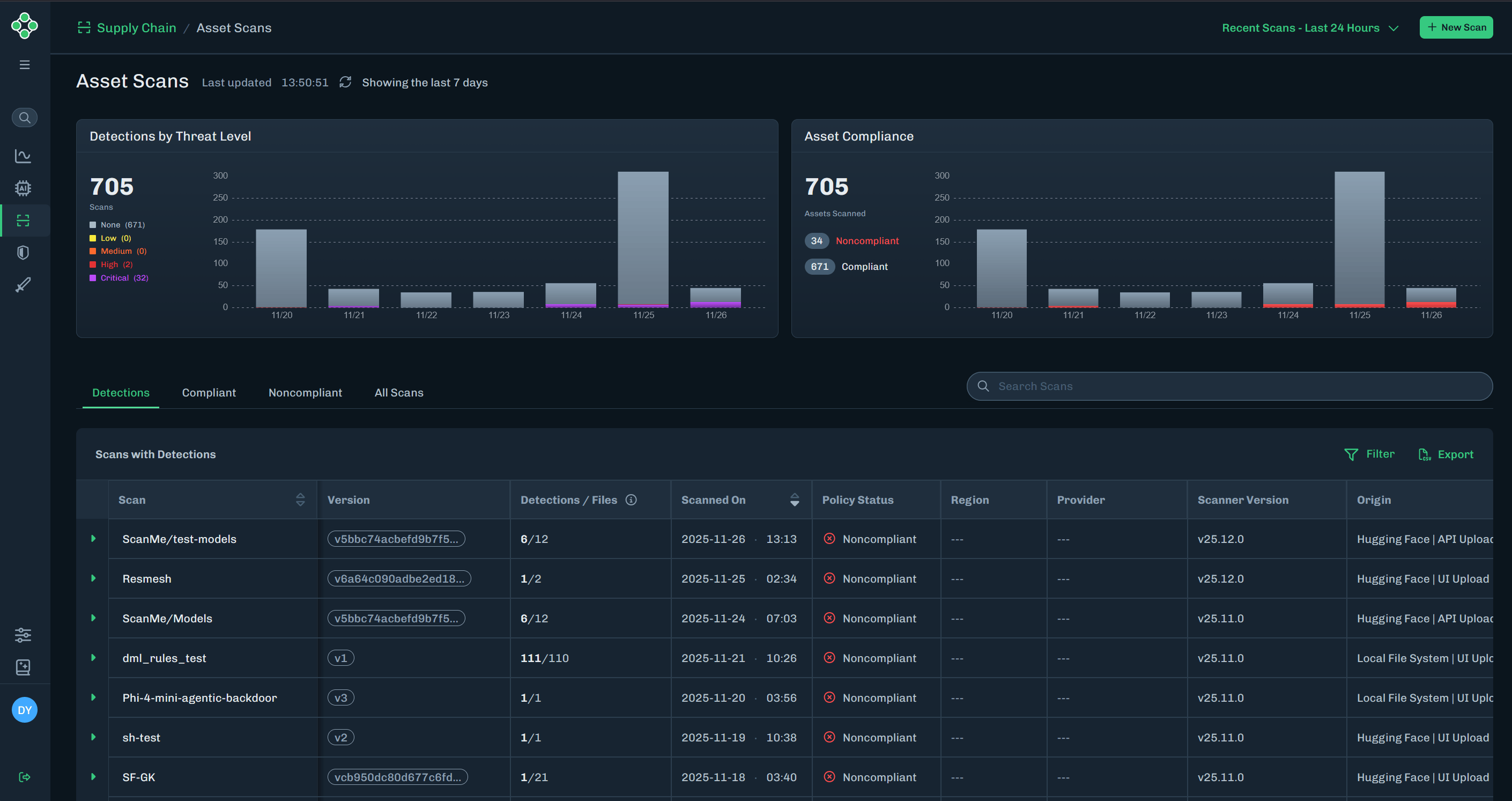
Detections by Threat Level: Bar chart for detections, colored by threat level.
- Bar chart displays the last seven days
- Displays the total number of scans
- Threat levels included are: None, Low, Medium, High, and Critical
-
Asset Compliance: Bar chart for compliant and non-compliant assets (based on scan data).
- Bar chart displays the last seven days
- Displays the total number of assets scanned
- Compliance data included are: compliant and non-compliant
-
Detections by Threat Level: Bar chart for detections, colored by threat level.
-
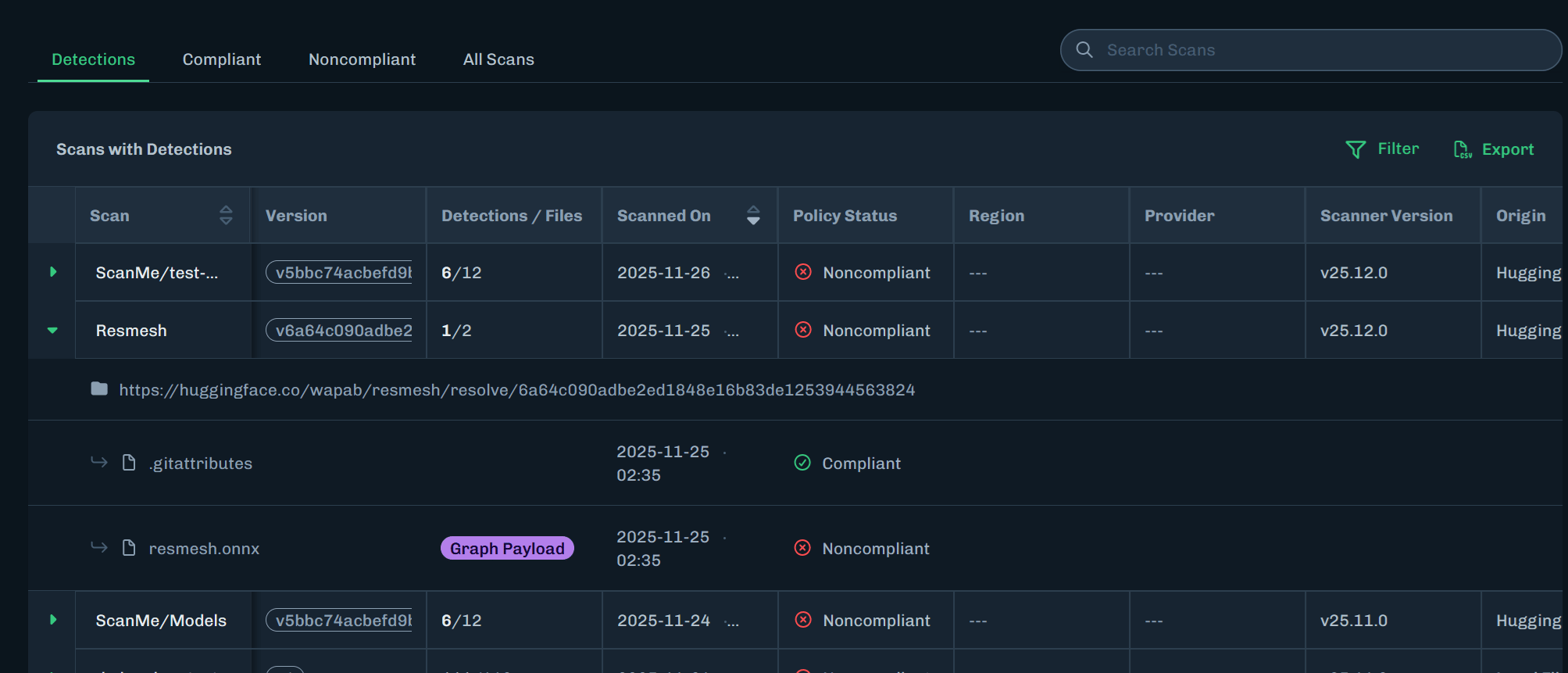
Click the green arrow next to the scan name to expand the row and view more information. See Column Descriptions for information about data in each table column.
-
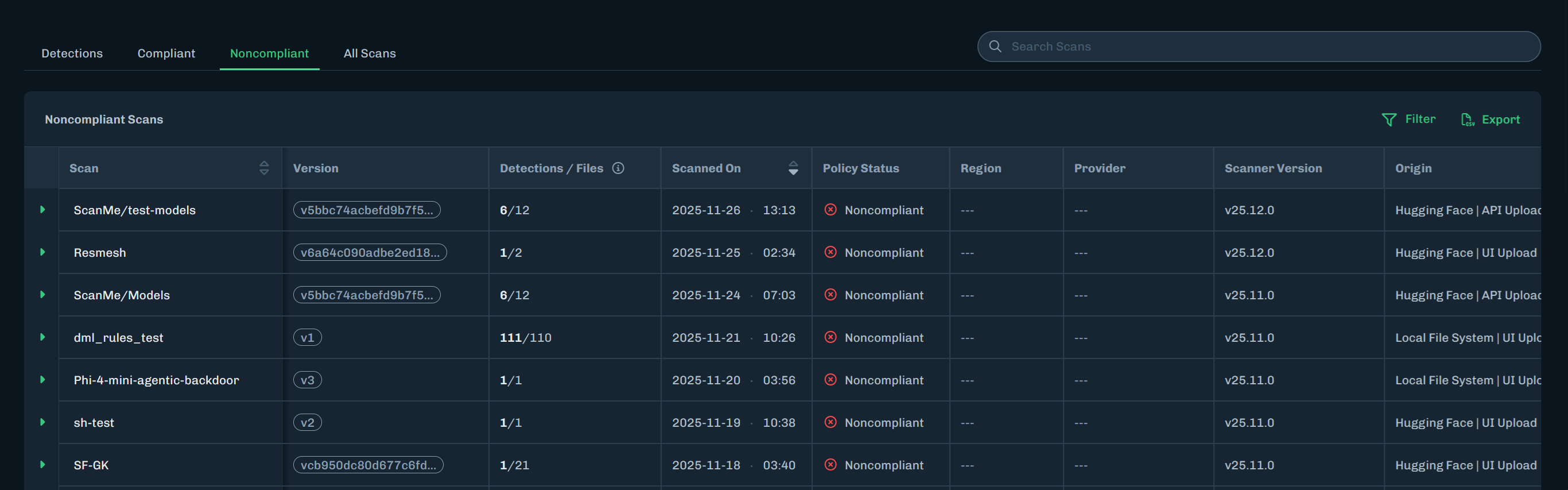
Click a tab to display specific model scans.
- Detections - Displays model scans with detections discovered.
- Compliant - Displays model scans that are compliant with the assigned policy.
- Noncompliant - Displays model scans that are not compliant with the assigned policy.
- All Scans - Displays all model scans.
-
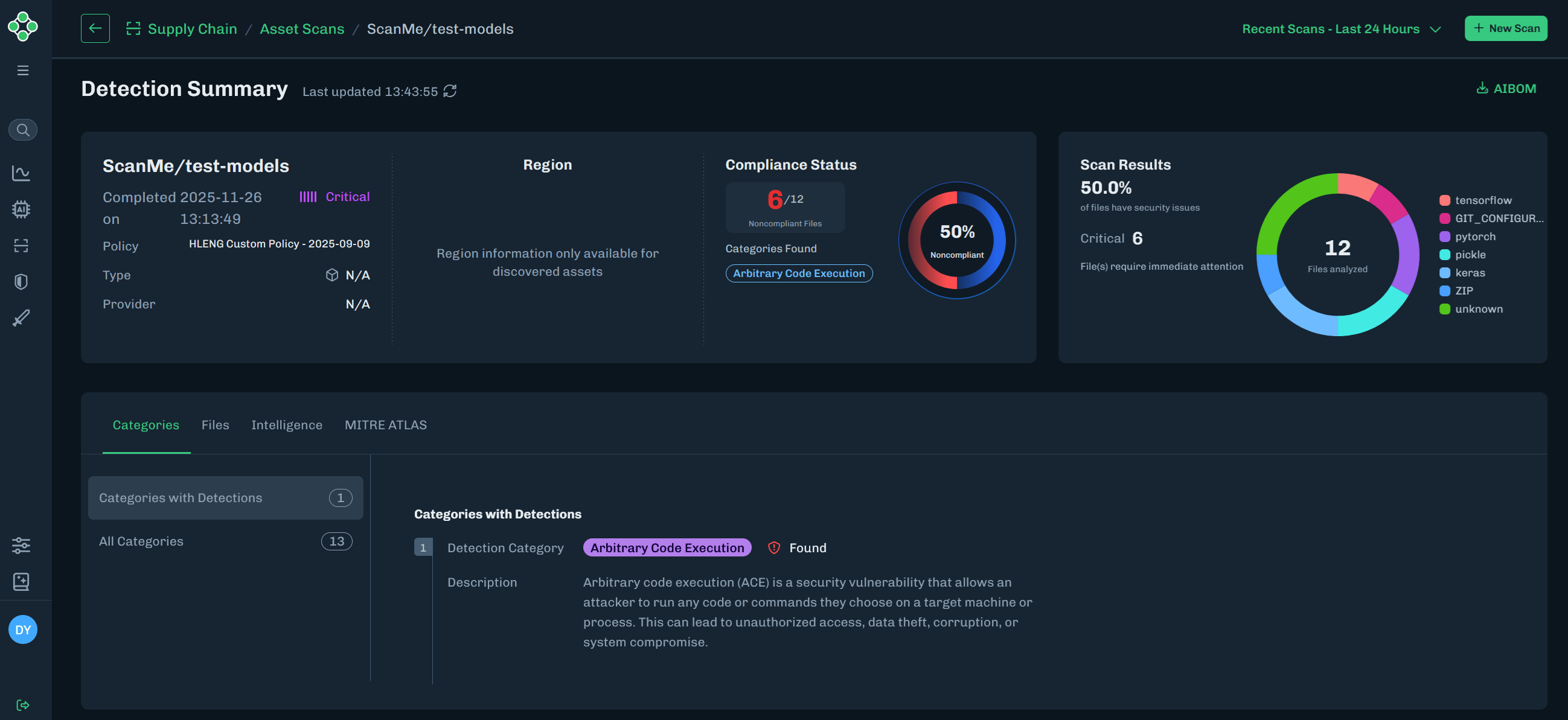
Click the green arrow next to Threat Level to view the Detection Summary page that contains model scan information.
- Scan summary: Displays key scan information, including the related policy and compliance status.
- Scan Results: Displays the types of files analyzed, along with the number and percentage of files that have security issues.
-
The Categories tab includes Detections and All Categories related to the scan results. See Detection Categories for more information.
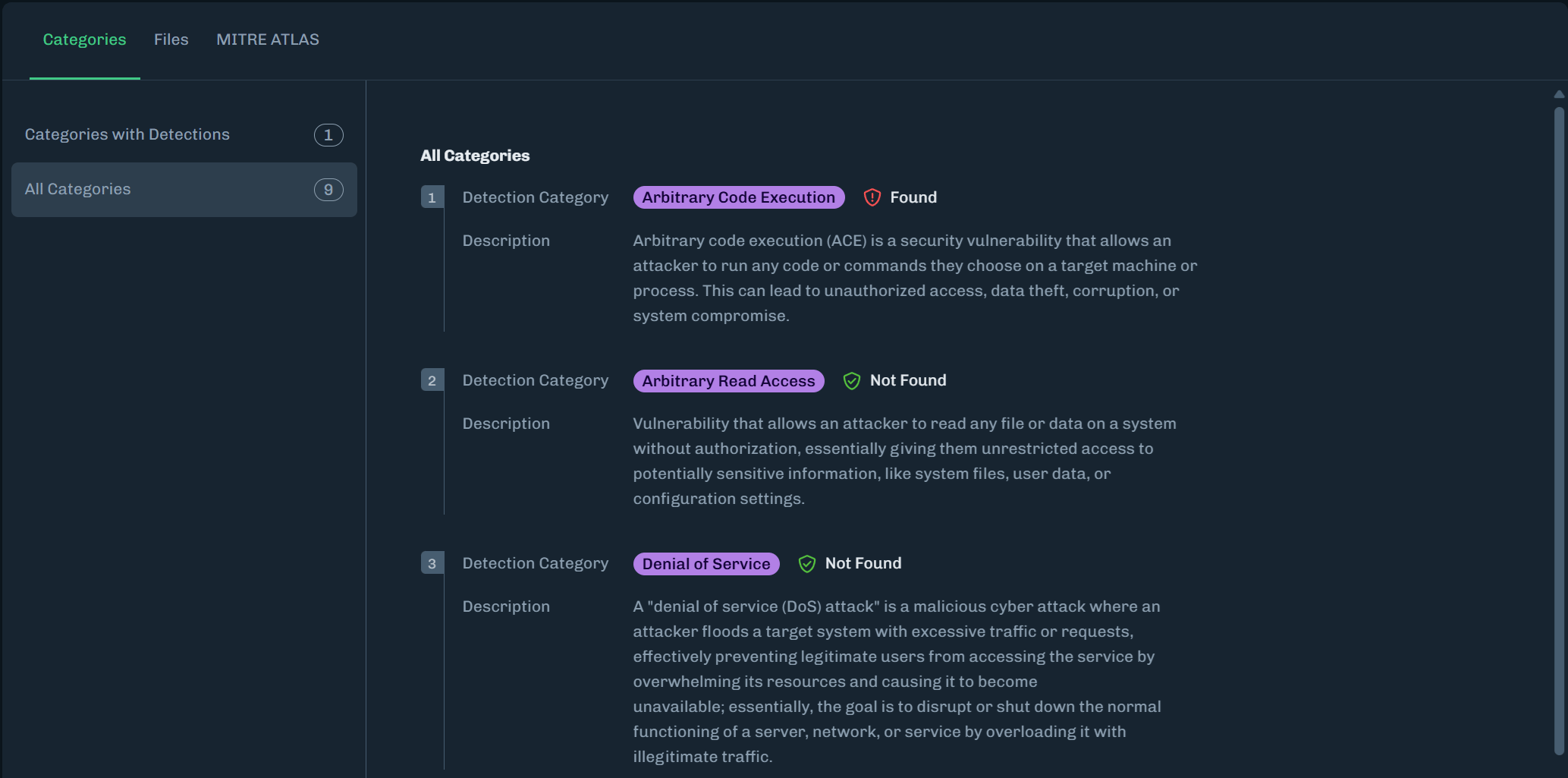
-
The Attributes tab includes a list of files related to the scan and details about the selected file.
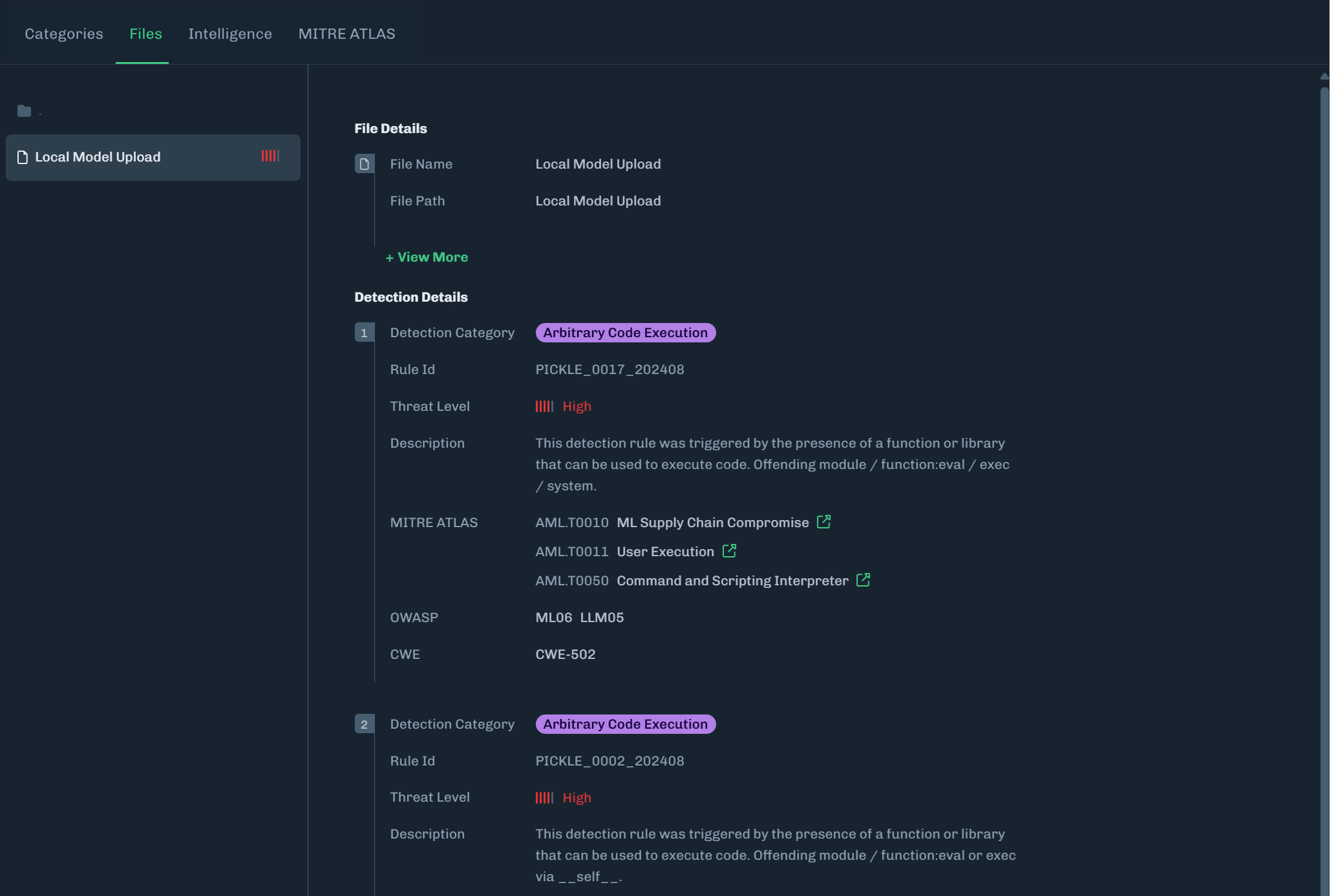
-
The MITRE ATLAS tab highlights MITRE ATLAS techniques related to the scan.
- Click Show Full Attack Chain to see all MITRE ATLAS techniques.
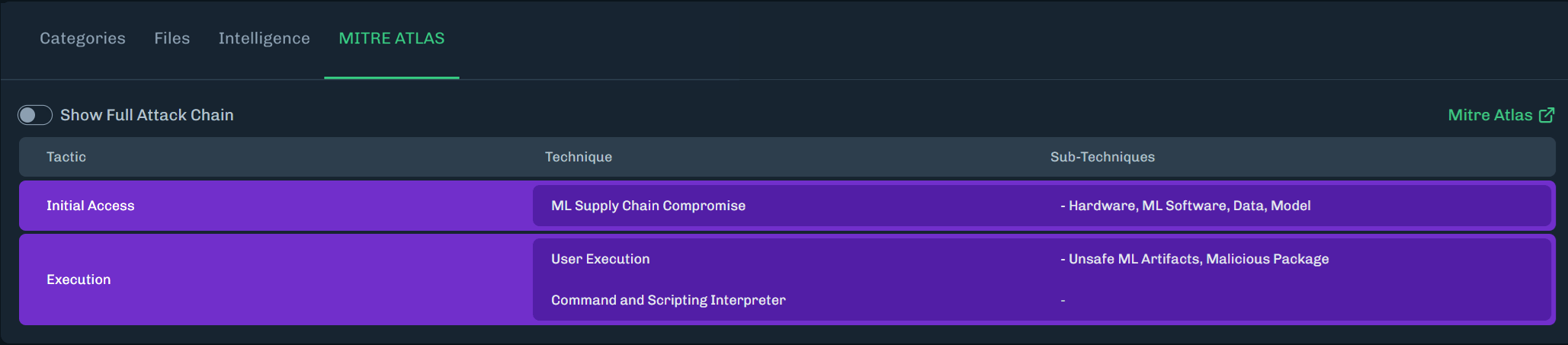
Column Descriptions
| Column | Description |
|---|---|
| Scan | The name of the model scanned. |
| Version | The version ID for the scan. |
| Detections / Files | The number of severities found over the total number of files discovered in the scan. |
| Advisories | Known files of concern, but are not exploits in and of themselves. Advisories should be reviewed prior to model usage. |
| Scanned On | The date and time of the scan. |
| Scan Policy Status | The status displays Compliant or Noncompliant based on the policy assigned. Unknown usually means no policy is assigned. |
| Region | Displays the region where the files are located, if available. |
| Provider | Displays the cloud provider, if available. |
| Scanner Version | Supply Chain scanner version used to scan the model. |
Origin | Where the scanned model was found and how the scan was started. This is displayed as
|
| Actions |
|
| Threat Level | The severity level of the scan. |