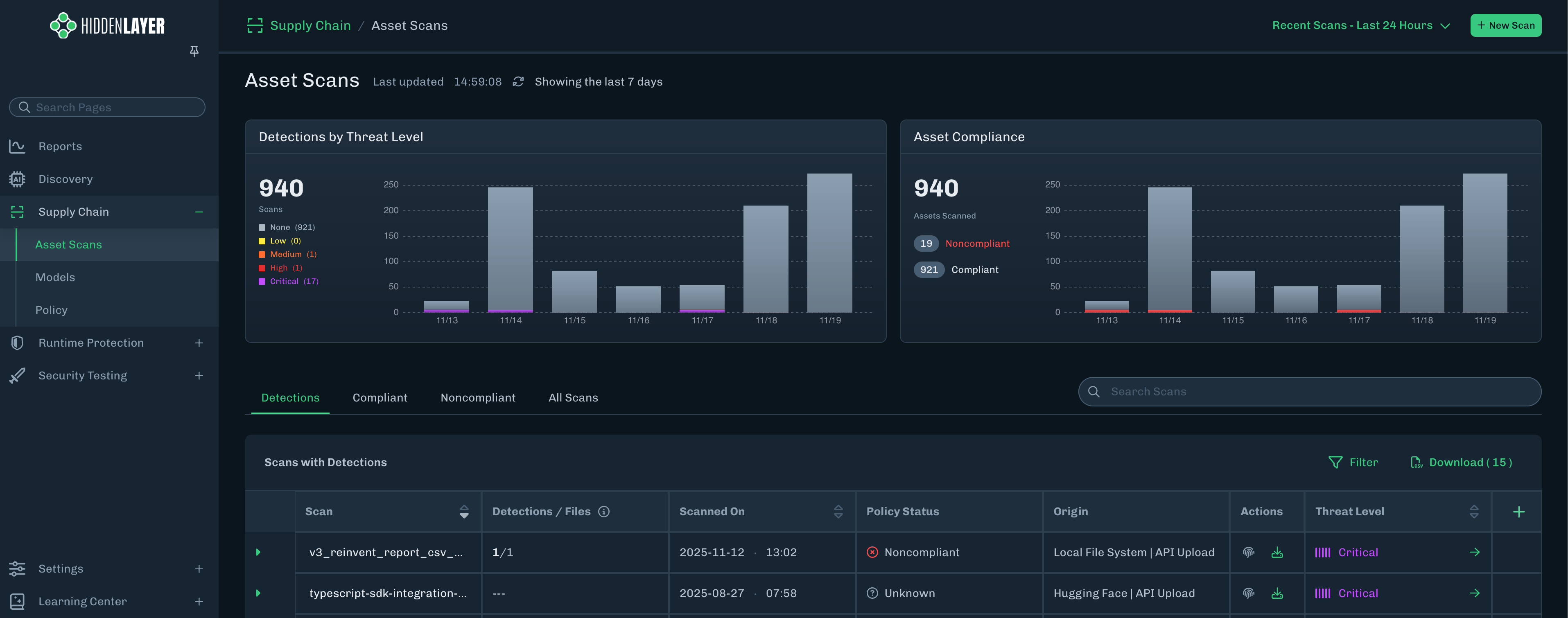
- Detections - Known exploits exist in the model files. The detections are ranked from Critical to Low severity and can be used to define Supply Chain policy.
- Advisories - Known files of concern, but are not exploits in and of themselves. Advisories should be reviewed prior to model usage.
Detection CategoriesScan results include a Detection Category and Threat Level to provide some insight into risks related to the model file. See Detection Categories for more information.
-
From the Asset Scans page, click the green arrow for the model version for which you want to view more information.
-
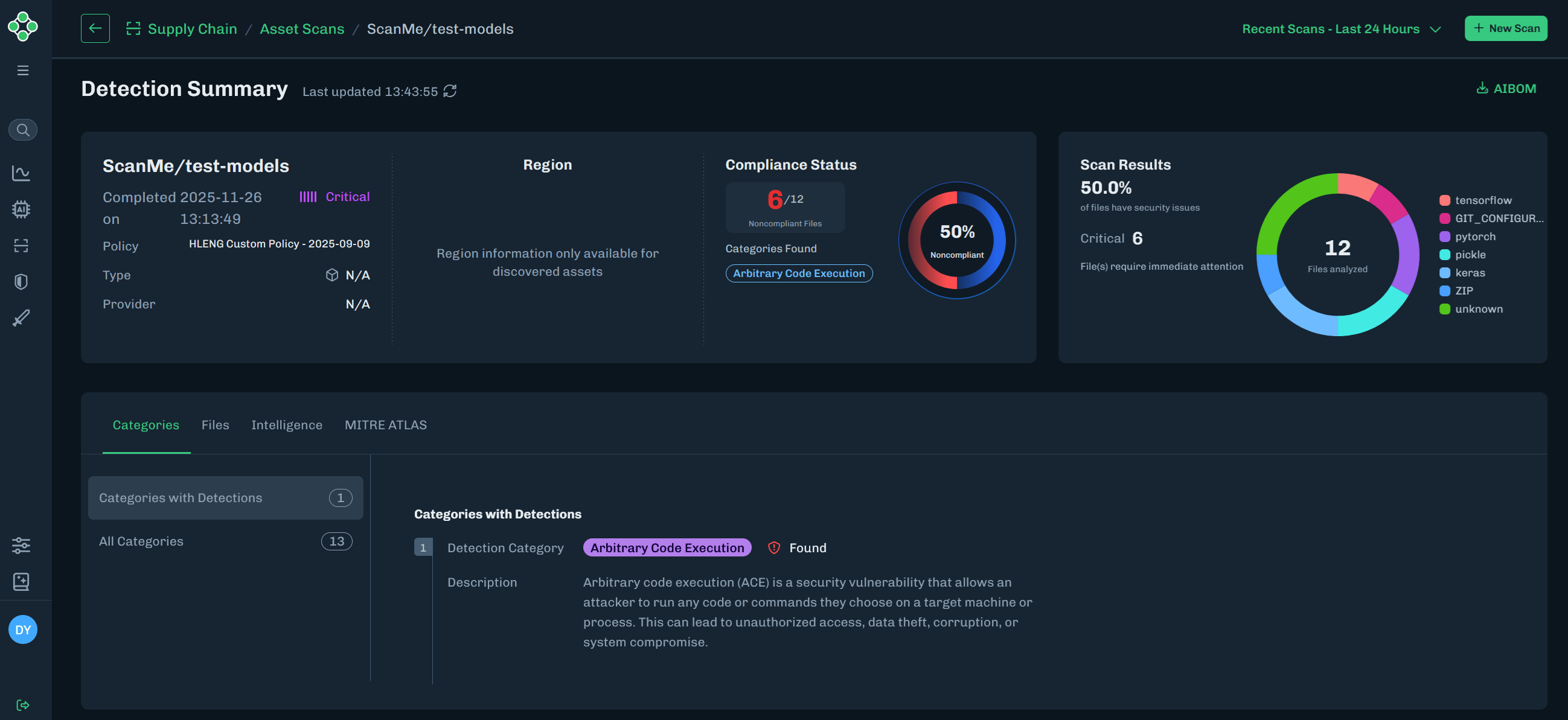
The Detection Summary section contains model scan information.
-
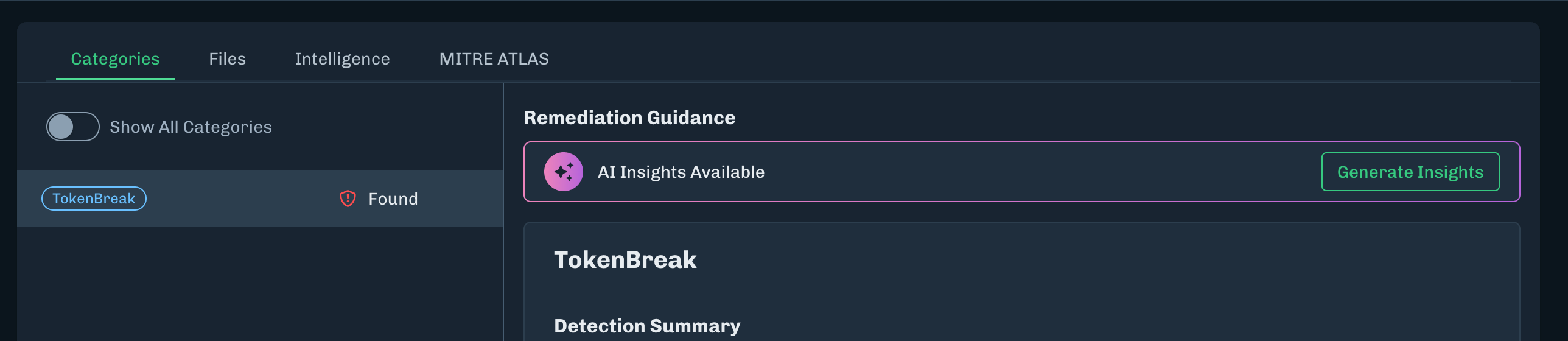
The Categories tab displays any Detections related to the scan results.
-
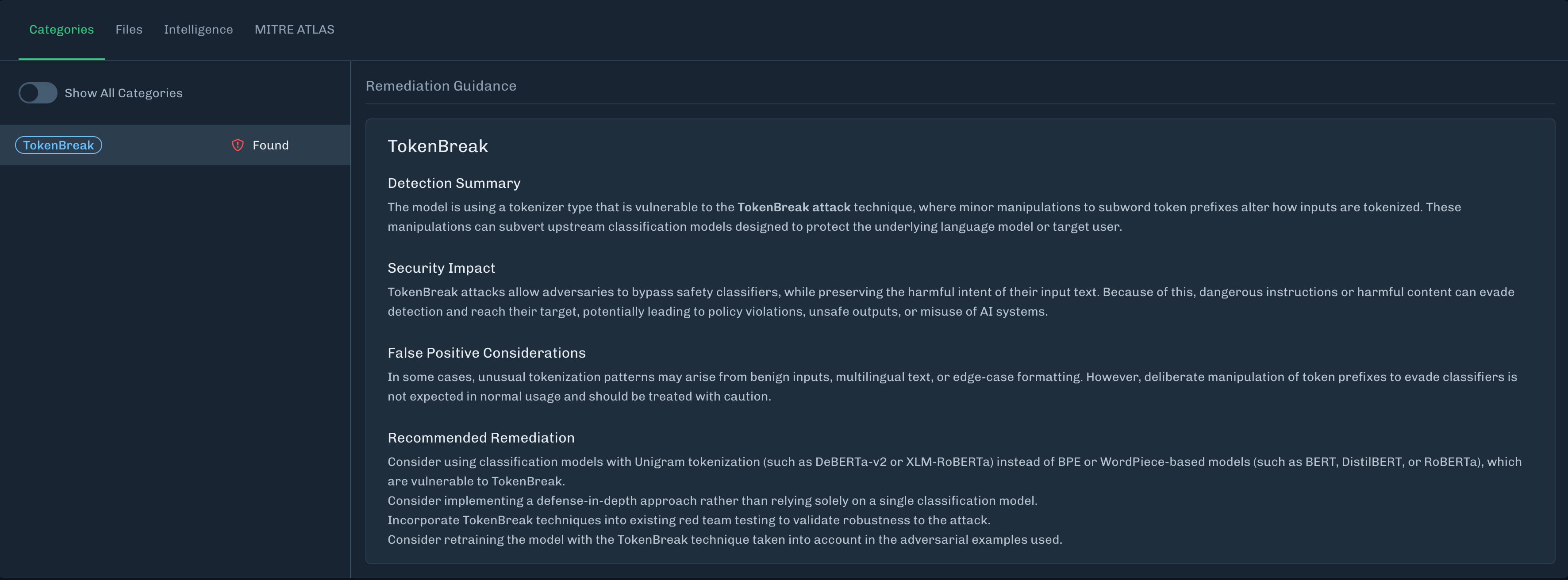
The detection category description includes Remediation Guidance, which provides information on why the detection category was triggered. Which can include:
- A short summary of the file name, the repository (if available), and the verdict (including other sources, if available).
- Descriptions for what was found, how it works, what it does, and why it is dangerous; providing concise information about the detection, instead of just labeling it bad.
- Remediation guidance, including recommended actions. It is up to the organization on what to do with the file.
- If no detections are found, then no categories display.
- Click the Show All Categories toggle to display all detection categories.
-
The detection category description includes Remediation Guidance, which provides information on why the detection category was triggered. Which can include:
-
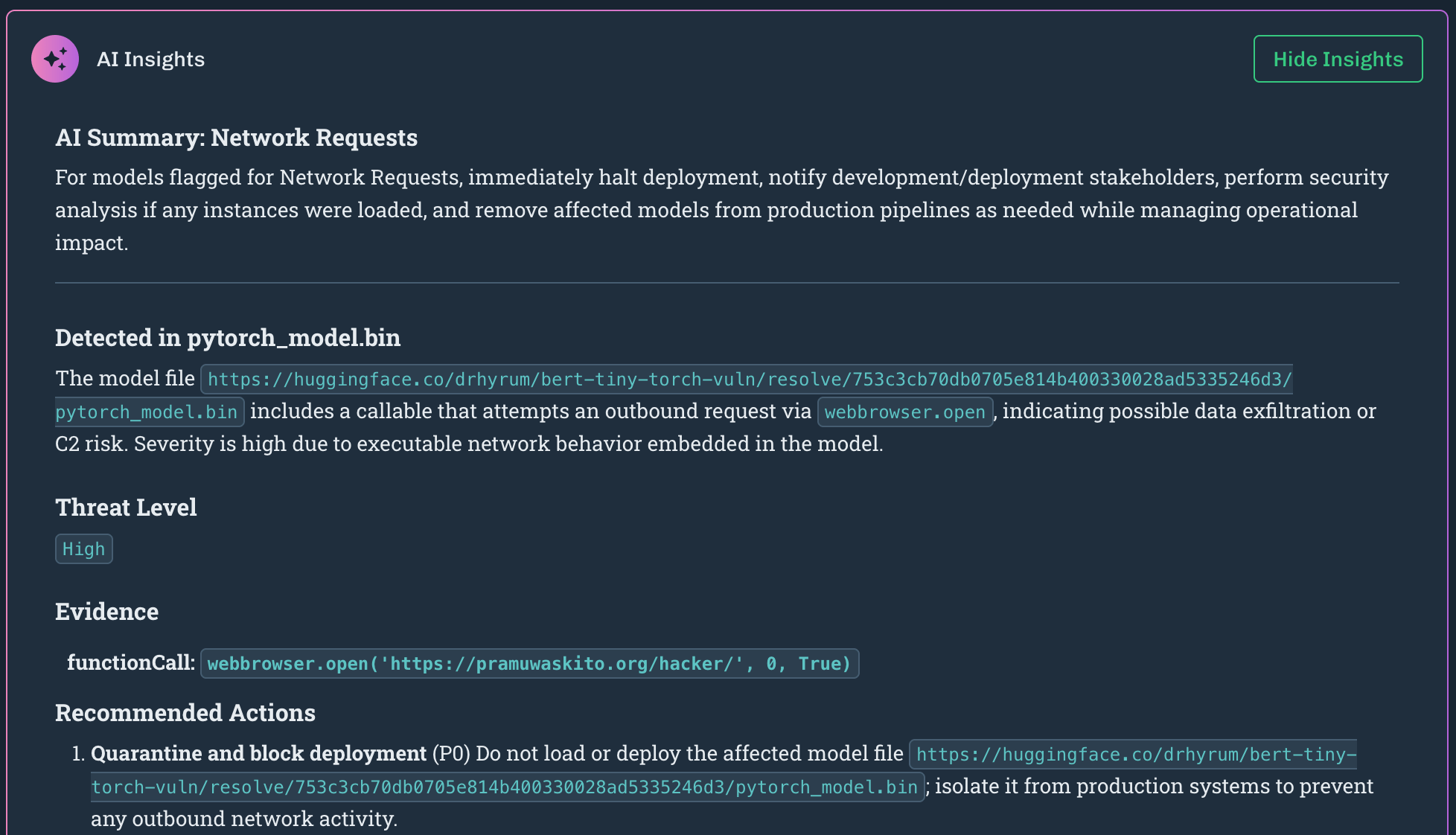
Remediation Insights provides an in-product, AI-assisted remediation guidance in the Detection Summary to help customers resolve detections.
- On the Categories tab, click Generate Insights.
- The insights generated provides information specific to the files scanned. This can include the file name, the file path, and more details for remediation actions.
-
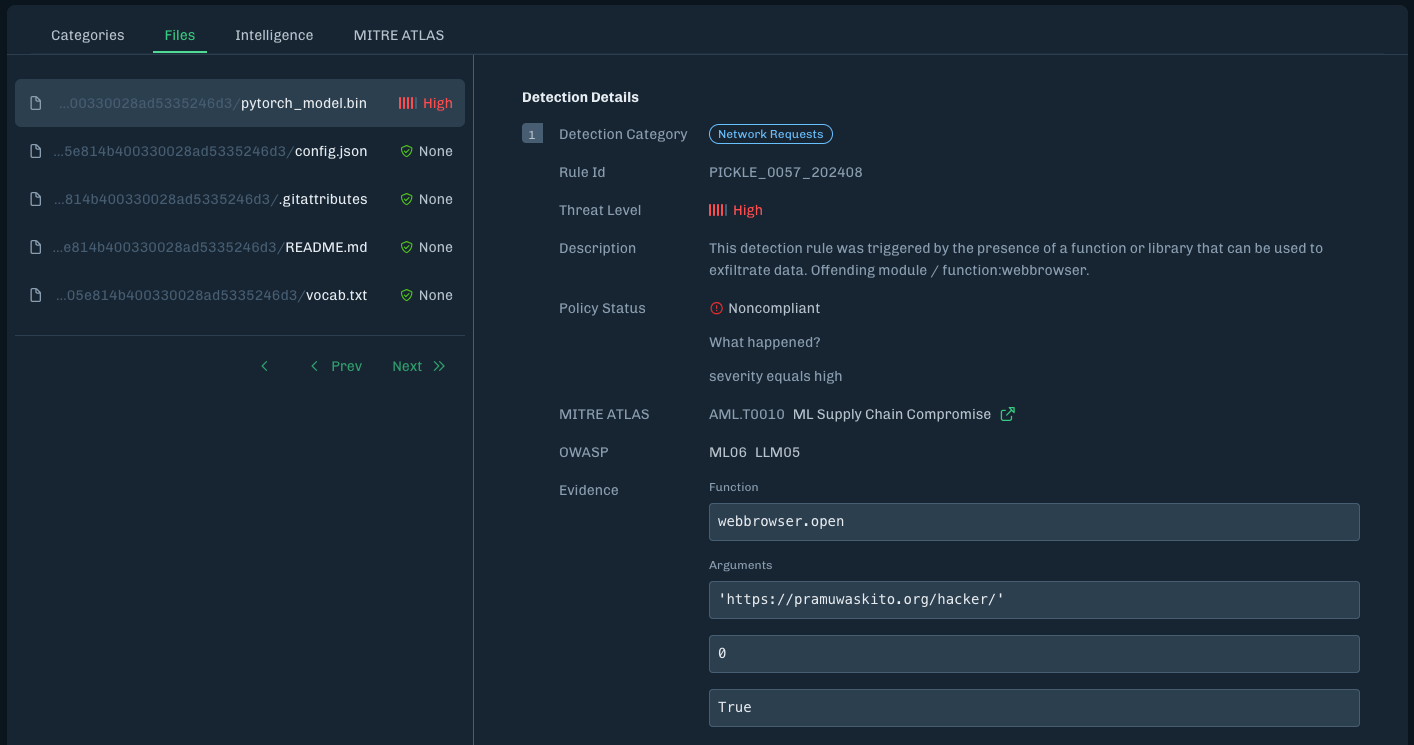
The Files tab includes a list of files related to the scan and details about the selected file.
-
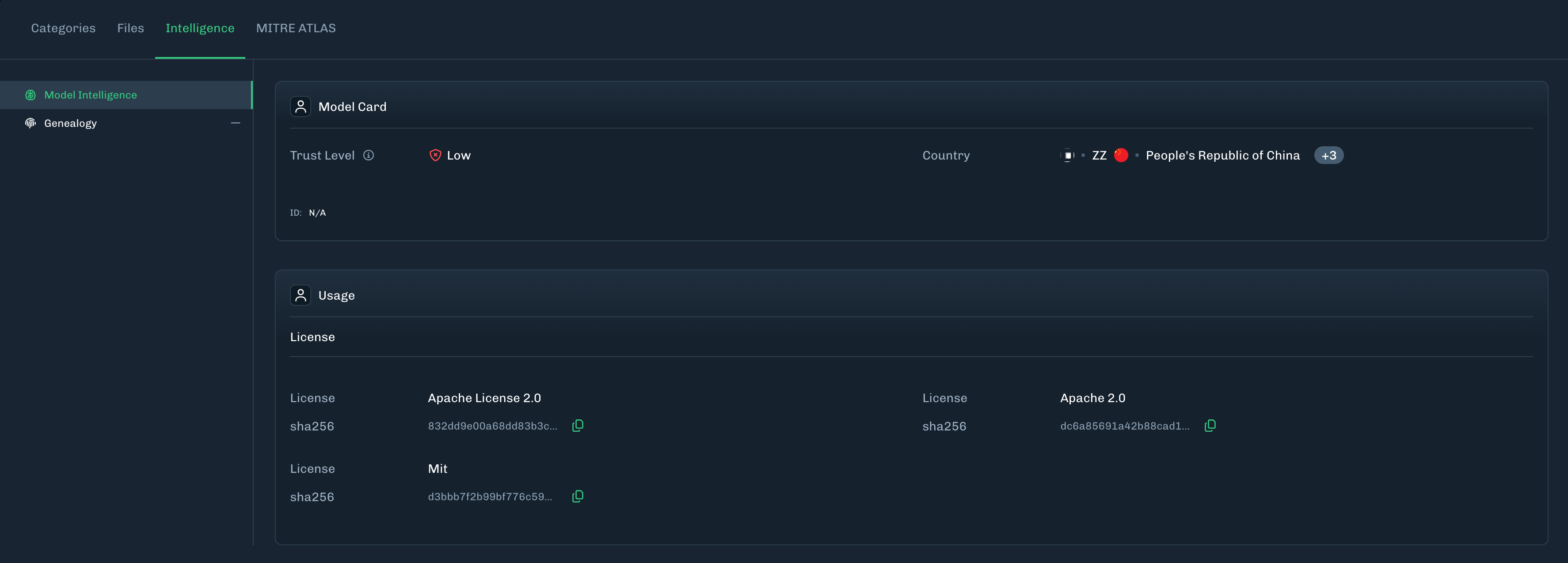
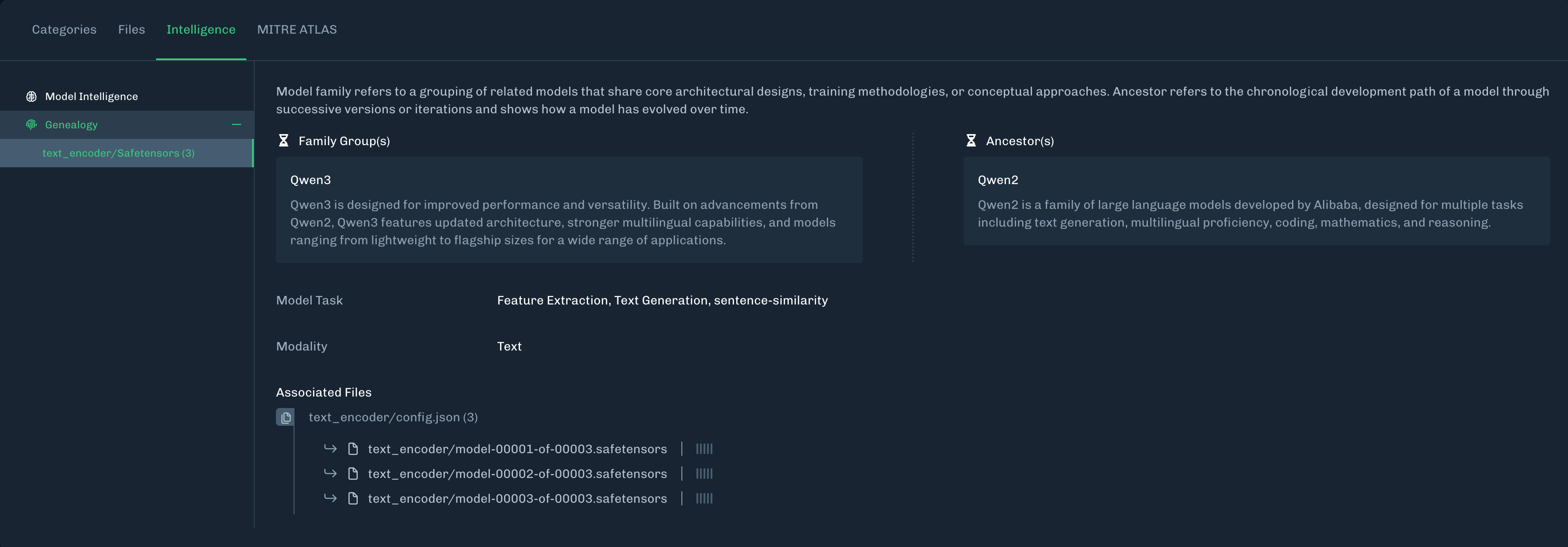
The Intelligence tab displays Model Intelligence and Genealogy information gathered by the scan.
- Model Intelligence: Delivers critical insights into model architecture, ancestry, and task alignment to support trust, security, and compliance in AI deployment. See Model Intelligence for more information.
- Genealogy: Displays family groups (related models) and ancestors (chronological development path) to provide some historical records for the model files scanned.
-
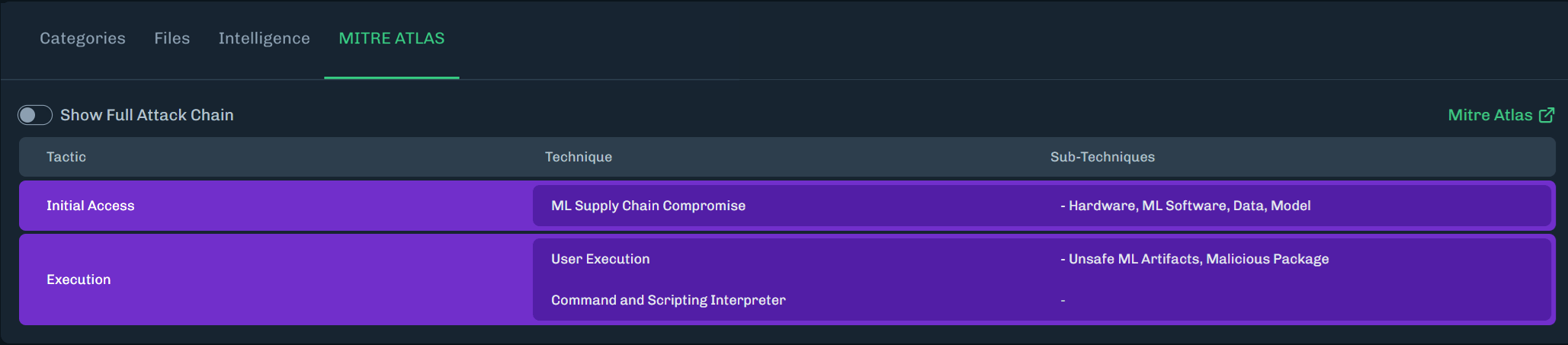
The MITRE ATLAS tab highlights MITRE ATLAS techniques related to the scan.
- Click Show Full Attack Chain to see all MITRE ATLAS techniques.